The best Solana wallet depends on how you use SOL and how much security you need. Phantom is a strong starting point for everyday Solana users, Solflare is worth considering for Solana-focused features, and Ledger hardware wallets are suitable for users who want offline private-key storage. Backpack and Trust Wallet are alternatives for users who want additional ecosystem features or multi-chain access.
No single wallet is best for everyone. Your decision should depend on your preferred device, whether you interact with decentralized applications (dApps), how you manage your recovery phrase, and whether you want to store your private keys offline.
What are the top Solana wallets in 2026?
The following comparison focuses on established wallet options, their intended uses, and the trade-offs readers should consider before choosing one.
| Wallet | Best for | Main consideration |
|---|---|---|
| Phantom | Beginners and everyday Solana use | Review transaction requests and protect your recovery method |
| Solflare | Solana-focused users and staking | Confirm the features and integrations available on your device |
| Ledger | Offline private-key storage | Requires a compatible device and signing workflow |
| Backpack | Solana applications and supported multi-chain use | Check network and asset compatibility before transferring |
| Trust Wallet | Mobile-first, multi-chain portfolios | Confirm the specific token and network support you need |
| MathWallet | Users seeking a multi-chain wallet | Verify current Solana support and the relevant app version |
| Atomic Wallet | Users seeking a multi-currency interface | Verify current SOL functionality and supported operations |
These are recommendations by use case, not an independently verified security ranking. Features, availability, and integrations can change. The official Solana wallet directory is a useful starting point for checking current wallet options and supported capabilities.
1. Phantom — best for everyday Solana use

Phantom
Best for beginners and regular Solana activity
Phantom is a self-custody wallet that lets users manage supported crypto assets, send and receive tokens, and connect to compatible decentralized applications. It offers mobile apps and browser extensions, making it convenient for users who want to access their assets across supported devices.
Why consider Phantom?
- An accessible interface for everyday wallet management.
- Support for Solana and other supported blockchain networks.
- Transaction previews and scam-related protections.
- Hardware-wallet integration for supported Ledger devices.
Potential drawbacks: Users still need to verify transaction details, protect their recovery method, and avoid fraudulent websites. A wallet’s built-in warnings cannot identify every malicious transaction.
Best for: People who want a straightforward way to hold SOL and interact with the Solana ecosystem.
Phantom’s official documentation describes its device-level protections and transaction safety features.
2. Solflare — best for Solana-focused features

Solflare
Best for Solana-native activities
Solflare is a self-custody wallet designed around the Solana ecosystem. Its documented capabilities include staking, NFT management, dApp connections, and hardware-wallet integrations.
Why consider Solflare?
- A Solana-focused interface for managing assets.
- Support for staking and other Solana activities.
- Security features intended to flag suspicious activity.
- Hardware-wallet integrations for compatible setups.
Potential drawbacks: Available functionality may differ by platform, connected device, and integration. Check whether the specific features you need are supported before committing.
Best for: Users who spend much of their time in the Solana ecosystem and want wallet access to staking and compatible dApps.
Solflare documents its security features and supported hardware-wallet integrations on its official security page.
3. Ledger — best for offline private-key storage

Ledger hardware wallets
Best for users prioritizing key isolation
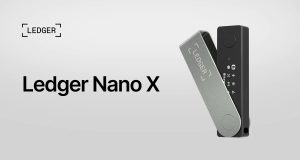
A Ledger hardware wallet keeps private keys within a dedicated hardware device and requires supported signing operations to authorize transactions. It can be used with compatible wallet software to manage supported assets, including SOL.
Why consider Ledger?
- Private keys are kept separate from the general-purpose computer or phone.
- Transactions require authorization through the compatible signing workflow.
- Suitable for users holding assets for longer periods.
- Can be paired with supported wallet interfaces for additional functionality.
Potential drawbacks: Hardware wallets cost money, require careful backup and recovery planning, and do not automatically protect users from approving malicious transactions. Users must verify the transaction information presented during signing.
The Ledger Nano S Plus is one documented option for SOL storage. Check the manufacturer’s current product and compatibility information before buying a device.
Best for: Users who want to reduce exposure of private keys to online devices, especially when managing a larger portfolio.
4. Backpack — best for Solana applications and supported multi-chain use

Backpack
Best for ecosystem participation
Backpack is a self-custody wallet that supports Solana and selected additional blockchain networks. Its documented features include wallet applications, staking, NFT management, and integrations with compatible hardware devices.
Why consider Backpack?
- Access to supported Solana applications.
- Portfolio management across supported networks.
- Features for users who participate in NFTs and other ecosystem activities.
- Hardware-wallet integrations for supported workflows.
Potential drawbacks: Support for one blockchain or token does not imply support for every other network or asset. Verify the exact network before sending funds.
Best for: Users who want to explore Solana applications and manage assets across supported networks.
5. Trust Wallet — best for multi-chain portfolios

Trust Wallet
Best for managing assets across multiple blockchains
Trust Wallet is a self-custody wallet available as a mobile application and browser extension. It supports Solana alongside numerous other blockchain networks, making it an option for users who prefer managing a broader crypto portfolio through one interface.
Why consider Trust Wallet?
- Mobile-first access to supported crypto assets.
- Support for multiple blockchain ecosystems.
- Options for sending, receiving, and managing supported tokens.
- A browser extension for supported desktop workflows.
Potential drawbacks: A multi-chain wallet may not offer the same specialized Solana features as a Solana-focused wallet. Verify support for your specific SOL-related activities before choosing it.
Best for: Users who hold SOL alongside assets on other supported networks.
Trust Wallet’s official documentation confirms support for Solana and describes its mobile and browser offerings.
6. MathWallet and Atomic Wallet — alternatives to evaluate
MathWallet and Atomic Wallet have historically been positioned as multi-currency wallet options. They may be worth investigating if you prefer a broader portfolio interface rather than a wallet focused primarily on Solana.
However, do not assume that historical support guarantees current compatibility or that all wallet functions remain available.
Before using either wallet:
- Confirm that SOL deposits, withdrawals, and any required token operations are currently supported.
- Download the software only from the verified official provider.
- Check the latest documentation and release information.
- Confirm that the wallet uses a recovery method you understand and can protect.
Best for: Users who specifically need a multi-currency wallet and have verified that the current product supports their intended Solana activities.
Why is Sollet no longer recommended?
Sollet is a discontinued Solana wallet and should not appear in a current list of recommended wallets. It went offline in December 2022, so old tutorials and links referring to the original service should be treated cautiously.
If you previously used Sollet, do not enter your recovery phrase into a website claiming to be its replacement. First identify the wallet you originally used and follow the recovery instructions published by the official provider of your chosen replacement.
A recovery phrase may provide access to the underlying wallet through compatible software, but compatibility and derivation settings matter. Do not assume that importing a phrase into any random wallet will automatically restore every account.

How do the best Solana wallets compare?
The most useful comparison is based on what you need to do, rather than a single overall ranking.
| Requirement | Options to investigate | What to verify |
|---|---|---|
| Beginner-friendly access | Phantom, Solflare | Setup process, recovery options, and interface |
| Solana staking | Solflare, Phantom, Backpack | Supported validators, fees, and unstaking conditions |
| Offline key storage | Ledger with compatible software | Device compatibility and transaction-signing process |
| Multi-chain management | Trust Wallet, Backpack, MathWallet | Exact network and token support |
| NFT and dApp activity | Phantom, Solflare, Backpack | NFT display, supported applications, and transaction previews |
| Mobile access | Phantom, Solflare, Trust Wallet | Operating-system requirements and official app availability |
A software wallet is often convenient for frequent transactions, while a hardware wallet can add a separate layer of protection for private keys. These options are not mutually exclusive: a compatible software interface can be used with a hardware wallet.
What is the difference between a software wallet and a hardware wallet?
A software wallet is an application or browser extension that provides access to your crypto wallet and allows you to sign transactions. A hardware wallet is a dedicated device designed to keep private keys isolated from an internet-connected computer or phone.
Software wallets are convenient for frequent use, while hardware wallets can reduce certain risks associated with online devices. Neither eliminates all risks, including phishing, malicious transaction approvals, physical loss, or poor recovery-phrase storage.
The best setup depends on how frequently you transact, your security requirements, and your ability to maintain a reliable backup.
How should you choose a Solana wallet?
Before creating a wallet or transferring SOL, evaluate the following factors.
1. Security and custody
First, determine who controls the private keys.
With a self-custody wallet, you control the keys or recovery mechanism that authorizes access to your assets. This offers greater direct control but also means that losing access may be difficult or impossible to reverse.
A custodial service manages access on your behalf and introduces a different set of counterparty and account risks.
Look for clear documentation covering key storage, recovery, device protection, transaction previews, and hardware-wallet compatibility.
2. Device compatibility
Choose a wallet that supports the device you actually use.
- Desktop: Consider a supported browser extension or desktop-compatible signing setup.
- Mobile: Check the official iOS or Android application and its requirements.
- Hardware: Verify the exact device model and compatible wallet software.
- Multiple devices: Understand how recovery and synchronization work before importing the same wallet elsewhere.
Never assume that every wallet supports every operating system or hardware device.
3. Solana features
Consider which activities you expect to perform.
- Holding and transferring SOL.
- Receiving SPL tokens and supported Token-2022 assets.
- Staking SOL through supported methods.
- Connecting to decentralized exchanges and other dApps.
- Managing NFTs.
- Interacting with supported payment and DeFi applications.
A wallet that supports SOL transfers may not support every token standard, application, or advanced transaction.
4. Fees and staking conditions
Creating a wallet is often free, but using it may involve costs.
Solana transactions generally require network fees. Swaps, purchases, fiat on-ramps, and other services may introduce additional charges from wallet providers or third parties.
Staking also requires care: rewards vary, and unstaking may involve waiting for the relevant network epoch or other protocol-specific conditions. Rewards are not guaranteed and should not be treated as fixed interest.
Before confirming a transaction, check the displayed fees, exchange rate, recipient address, and any applicable staking terms.
5. Reputation and ongoing support
Check the wallet provider’s official documentation, release history, security disclosures, and support channels. Look for clear information about known limitations and recovery procedures.
Community popularity can help identify widely used products, but popularity alone is not proof of safety. Likewise, no security feature or audit guarantees that a wallet is free from vulnerabilities.
How do you set up and use a Solana wallet?
The general process is similar across many self-custody wallets, although individual steps differ by provider.
Step 1: Download the official wallet
Visit the wallet provider’s official website and follow its verified download links to the relevant app store or browser extension.
Avoid sponsored impersonation sites, unsolicited download links, and unofficial copies of wallet applications.
Step 2: Create a wallet or connect a hardware device
If creating a new software wallet, follow the application’s instructions to establish access credentials and generate the recovery method.
If using a hardware wallet, initialize the device according to its official instructions and connect it only through compatible software.
Step 3: Back up your recovery method
If the wallet provides a recovery phrase, write it down accurately and store it in a secure offline location.
Do not share the phrase with anyone, upload it to cloud storage, or enter it into a website claiming to provide support. A wallet provider should not need your recovery phrase to troubleshoot a routine problem.
Step 4: Receive SOL
Open the wallet’s receive screen and copy the Solana address.
Before transferring a large amount, verify the destination address and network. Consider sending a small test amount first, accounting for transaction fees.
Step 5: Send SOL or connect to an application
When sending SOL, check the recipient address, amount, network fee, and transaction details before signing.
When connecting to a dApp, verify the site’s domain and review the requested permissions. Connecting a wallet is not the same as approving every possible transaction, so inspect each signing request carefully.
Step 6: Check your transaction
Use a reputable Solana blockchain explorer, such as Solscan , to inspect a transaction signature and confirm its status.
Remember that blockchain transactions are generally irreversible. A transaction sent to an incorrect address or authorized through a malicious request may not be recoverable.
How can you secure your Solana wallet?
Wallet security requires both suitable technology and safe user behavior. The following practices reduce common risks.
Protect your recovery phrase
Your recovery phrase can provide access to your wallet, depending on its setup. Anyone who obtains it may be able to take control of the associated assets.
- Keep it offline and away from unauthorized access.
- Never share it with a support agent or stranger.
- Avoid screenshots, email drafts, messaging apps, and unsecured cloud backups.
- Make sure your backup remains readable and protected from physical damage.
- Understand the recovery process before storing substantial assets.
If you believe your recovery phrase has been exposed, treat the wallet as compromised. Using a clean, trusted device, create a new wallet and move remaining assets to it as soon as safely possible. If the original wallet is already drained, a new wallet cannot reverse the loss.
Enable available device protections
Use a strong device passcode, keep your operating system updated, and enable biometric authentication or additional access controls when supported.
Two-factor authentication is not available in the same form for every self-custody wallet. Do not assume that a wallet supports it, and remember that an app password does not replace the recovery phrase or hardware-wallet security.
Check transactions before signing
Read transaction previews and verify the destination, amount, token, and requested permissions. Be especially cautious with unfamiliar dApps that request token spending approvals or ask you to sign messages you do not understand.
A legitimate-looking website can still be malicious. Security alerts are helpful but cannot catch every scam.
Separate everyday activity from long-term holdings
For users with larger portfolios, it may be useful to keep everyday transaction funds separate from long-term holdings.
For example, you might use a software wallet for routine dApp activity and a compatible hardware wallet for assets you do not need to move frequently. This can limit exposure, although it also adds management complexity and requires separate recovery planning.
Beware of fake tokens and impersonation
A token appearing in your wallet does not prove it is legitimate. Verify token details through reliable sources before trading, and never connect to an unfamiliar site simply to claim an unsolicited reward.
Download wallet software through official channels, bookmark verified websites, and ignore anyone who asks for your recovery phrase to unlock funds.
Frequently asked questions about Solana wallets
What is the best Solana wallet for beginners?
Phantom and Solflare are reasonable starting points for beginners because they provide access to common Solana activities through dedicated wallet interfaces. Compare their supported devices, recovery options, and features before choosing. Start with a small amount of SOL until you are comfortable sending and receiving transactions.
What is the safest wallet for Solana?
There is no universally safest wallet. A compatible hardware wallet can reduce exposure of private keys to online devices, while software wallets offer convenience and may include transaction warnings and scam protections. Your security also depends on your recovery backup, device hygiene, and the transactions you approve.
Is Phantom better than Solflare?
Phantom is worth considering for everyday wallet use, while Solflare is a strong alternative for users focused on Solana-native activities and supported staking or hardware-wallet integrations. The better choice depends on the features you need, your preferred device, and the current capabilities of each wallet.
Can I stake SOL from a Solana wallet?
Yes. Some Solana wallets let users stake SOL directly or through an integrated staking interface. Available methods, validator choices, fees, reward rates, and unstaking conditions vary. Check the wallet’s current documentation and understand the associated risks before staking.
Do Solana wallets charge fees?
Creating a wallet is often free, but blockchain transactions require network fees. Swaps, token purchases, fiat services, and other integrated features may involve additional fees. Review the final transaction details before confirming.
Can I use a Solana wallet on multiple devices?
Some wallets support multiple devices or provide compatible mobile and browser versions. The setup depends on the provider and wallet type. Before importing a wallet, verify the official instructions and make sure you understand how recovery credentials are handled.
What happened to Sollet wallet?
Sollet was discontinued in December 2022. It should not be used as a current wallet recommendation, and websites claiming to be the original service or offering recovery assistance should be approached with extreme caution. Use a currently supported wallet and follow its official recovery guidance if you need access to an old wallet.
Can I recover my Solana wallet if I lose my phone?
Often, you can restore a self-custody wallet on a replacement device using its supported recovery method, provided you have the necessary credentials and use compatible wallet software. Hardware wallets and alternative recovery systems may work differently. If the recovery phrase is lost and no alternative recovery method exists, access may be permanently lost.
Is it safe to keep all my SOL in one wallet?
That depends on your circumstances and risk tolerance. Keeping everything in one wallet may be simpler, but it concentrates the consequences of a compromised key or mistaken transaction. Some users separate everyday funds from long-term holdings. Regardless of the setup, secure backups and careful transaction verification remain essential.
Final verdict: Which Solana wallet should you choose?
The right choice depends on your priorities:
- For everyday use: Start by comparing Phantom and Solflare.
- For Solana-focused activities: Evaluate Solflare and its current feature set.
- For offline private-key storage: Consider a compatible Ledger hardware wallet.
- For ecosystem and multi-chain use: Compare Backpack and Trust Wallet against your specific requirements.
Before transferring funds, confirm that the wallet is currently supported, download it from its official source, verify network compatibility, and protect your recovery method.
Crypto wallets reduce some risks while introducing others. No wallet can guarantee the safety or value of your assets, and transactions made on public blockchains are generally irreversible. Choose a wallet whose security model you understand and whose features match the way you actually use Solana.