

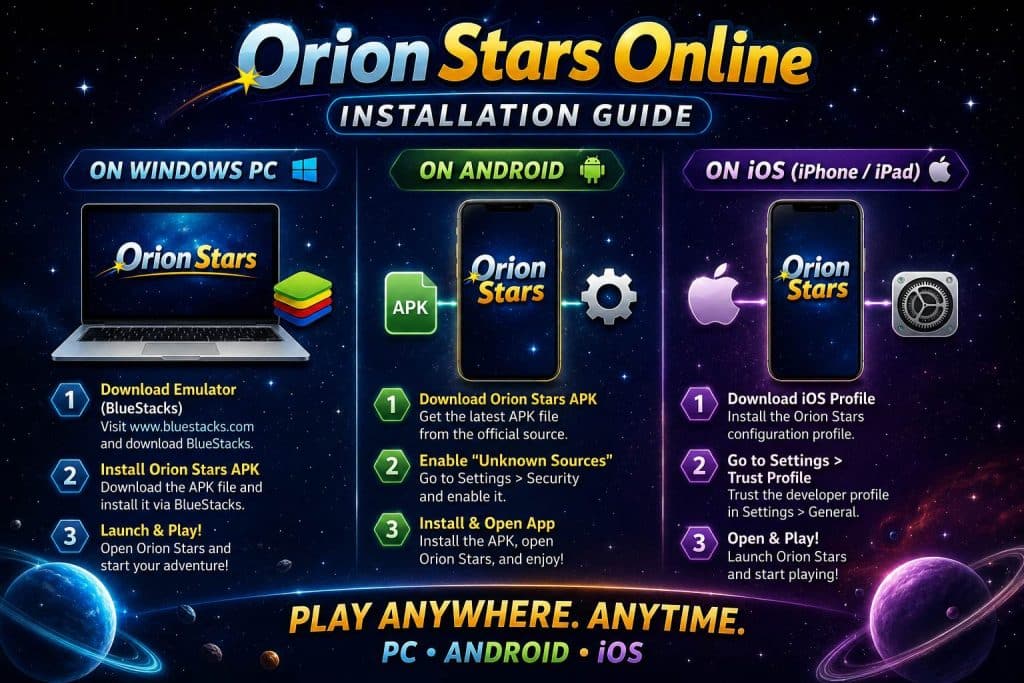
You can download Orion Stars on Android as an APK from orionstar777.com. iOS does not have a dedicated app — iPhone and iPad users play through the mobile browser at the same site. PC and Mac players use the same browser site. No Google Play. No App Store. The sideload route is intentional: real-money sweepstakes apps are blocked from major app stores.
Setup takes under five minutes on any device. Here is exactly how to do it.
- Android: APK from orionstar777.com, ~80 MB, requires Android 7.0+
- iOS (iPhone/iPad): No app — browser play via orionstar777.com
- PC/Mac: Browser-only, no desktop client
- Cost to download: Free
- Account funding: Via agent only — Cash App, Zelle, Venmo, or crypto
- Sites to avoid: APKMirror, APKPure — often modified or outdated versions
Android: Download the APK
Android players get a native app via APK. The reason it is not on Google Play: the Play Store prohibits real-money sweepstakes apps that fall outside their licensed markets. You install it the same way any sideloaded app works on Android.
- Step 1 — Open Chrome or Firefox on your Android device and visit orionstar777.com
- Step 2 — Tap the download button for the Orion Stars APK
- Step 3 — When the install prompt appears, go to Settings > Apps > your browser > Install Unknown Apps, then toggle it on
- Step 4 — Open the downloaded file from your notifications bar and tap Install
- Step 5 — Launch Orion Stars, create an account, then find an agent to fund your balance
The file is about 80 MB. On a standard mobile connection, it downloads in roughly 30 seconds. The “Unknown Sources” toggle is the part most people miss — its exact location varies by Android version.
Android Troubleshooting
| Problem | Fix |
|---|---|
| App won’t install | Enable “Install Unknown Apps” for your browser in Settings > Apps |
| Download blocked | Switch from Samsung Internet to Chrome — Samsung’s browser has stricter defaults |
| App crashes on open | Check Android version (7.0 minimum). Clear cache via Settings > Apps > Orion Stars > Clear Cache. |
| Can’t find the download link | The site occasionally changes layout. Scroll to the bottom of the homepage or look for a Download button in the top menu. |
| Black screen after login | Force-close the app, restart your phone, open again |
iOS: No App, Browser Only
There is no Orion Stars app on the App Store. Apple rejects real-money sweepstakes apps that are not from licensed, regulated operators in their supported markets. This is not specific to Orion Stars — most fish table platforms face the same restriction.
What you do instead: open Safari and go to orionstar777.com. The mobile site is optimized for touch and loads the full game library. For something closer to an app feel, tap the Share icon in Safari and select “Add to Home Screen.” That puts an icon on your home screen that launches the site in full-screen mode, no browser bar visible.
- Requires iOS 14 or higher
- Chrome on iOS also works, but Safari handles the home screen shortcut cleanly
- Game load times are slightly slower than the Android native app
- No installation needed — just bookmark and play
PC and Mac: Browser Play
Desktop play is browser-only. Navigate to orionstar777.com in Chrome, Firefox, or Edge. The fish table games are fully playable with a mouse — click to aim and fire. The interface scales to your screen resolution.
Most serious Orion Stars players use desktop for account management — checking balances, contacting agents, reviewing transaction history — rather than active gameplay. The fish table mechanics feel more natural on a touchscreen. That said, PC play works fine if that is your only option.
After Downloading: Agent Setup
The download is free. Playing for real prizes requires funding through an agent. This is how every Orion Stars account works — there is no central cashier or payment portal on the site itself.
| Step | What Happens |
|---|---|
| 1. Create account | Register with email or phone number inside the app |
| 2. Find an agent | Search Facebook groups for “Orion Stars agent” or check local fish game rooms |
| 3. Send payment | Transfer via Cash App, Zelle, Venmo, or crypto to your agent |
| 4. Get credited | Agent adds coins to your in-app balance, usually within minutes |
| 5. Cash out | Request withdrawal from your agent when ready. Same-day to 24-hour turnaround. |
Minimum deposits are $10-$20, though many agents require $50 to open. Withdrawals typically require $20-$50 minimum. The agent sets their own minimums within platform guidelines.
For more on the platform overall — game types, payout rates, and how the agent model works — see the Orion Stars complete guide. The Orion Stars login guide covers account access issues, and the Orion Stars APK guide goes deeper on the Android installation.
Frequently Asked Questions
Where is the official Orion Stars download?
The official site is orionstar777.com. Android users download the APK there. iOS and PC users play via browser at the same address. Do not download from third-party APK sites — modified versions can steal your account credentials.
Is the Orion Stars download free?
Yes. The app and browser version both cost nothing to access. You spend money only when you fund your balance through an agent to play for prizes.
Why is Orion Stars not on Google Play?
Google Play does not allow real-money sweepstakes apps that fall outside its licensed market framework. Orion Stars distributes the Android app as a direct APK download instead.
Can I download Orion Stars on iPhone?
There is no iPhone app. iPhone and iPad users access Orion Stars through Safari at orionstar777.com. Add the site to your Home Screen via Safari’s Share menu for a full-screen, app-like experience.
What Android version does Orion Stars require?
Android 7.0 (Nougat) or higher. Phones from 2017 onward typically meet this. Check Settings > About Phone > Android Version if unsure.
My Orion Stars APK won’t install. What do I do?
The most common cause is “Install from Unknown Sources” not being enabled for your browser. Go to Settings > Apps, select Chrome or whichever browser you used to download, and turn on “Install Unknown Apps.” Then try the APK file again.
Is there a PC version of Orion Stars?
No native PC app exists. Play via browser at orionstar777.com on Windows or Mac. Chrome and Firefox both work without issues.