DEX Screener is a free website and app that tracks tokens traded on decentralized exchanges, with live prices, charts and screeners. It reads its data straight from the blockchains it covers and lists any token automatically as soon as that token has a liquidity pool and one transaction. That makes it fast and broad. It also means a listing tells you nothing about whether a token is safe.
This guide explains how DEX Screener works, using its own documentation, and how to read it without being fooled by what is trending.
Key Takeaways
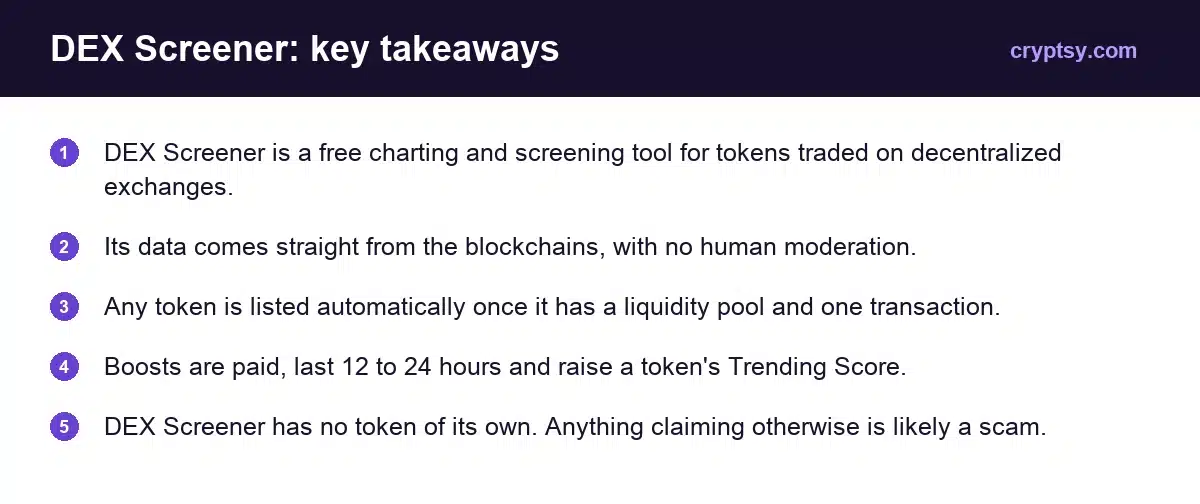
- DEX Screener is a free charting and screening tool for tokens traded on decentralized exchanges.
- Its data comes straight from the blockchains, with no human moderation.
- Any token is listed automatically once it has a liquidity pool and one transaction.
- Boosts are paid, last 12 to 24 hours and raise a token’s Trending Score.
- DEX Screener has no token of its own. Anything claiming otherwise is likely a scam.
What Is DEX Screener?
DEX Screener is a market data tool for decentralized exchanges, or DEXes. It shows what is trading on-chain right now, including tokens that launched minutes ago.
It runs in a browser and has apps for iOS and Android. You can search by name, symbol, token address or pair address.
One thing it does not have is a token. Its FAQ is blunt: “DS doesn’t have a token. If you come across a token or pre-sale claiming to be related to DEX Screener then it’s likely a scam.”
Where Does DEX Screener Get Its Data?
From the chains themselves. DEX Screener says all of its data “comes directly from the blockchains it tracks, without the use of any external APIs or data sources.” It built its own indexer to read raw blockchain logs and turn them into screeners, charts and analytics.
The next line of that answer is the one to remember. The data is “processed automatically in realtime without any human moderation or intervention.” Nobody at DEX Screener reviews a token before it appears.
How Do Tokens Get Listed?
Automatically. DEX Screener lists a token once two things are true: it has been added to a liquidity pool, and it has at least one transaction. There is no application step.
The token’s logo, description and social links are a separate matter. DEX Screener pulls that information from external lists such as CoinGecko’s. Projects that want it shown sooner can buy Enhanced Token Info.
| Item | What DEX Screener says |
|---|---|
| Token listing | Automatic, once there is a liquidity pool and one transaction |
| Token info (logo, socials) | Pulled from external lists such as CoinGecko |
| Enhanced Token Info | Paid. Listed from $299 on October 8, 2026, marked down from $499 |
| Processing time | Most orders within a few minutes. Allow up to 12 hours |
| Payment | Major cryptocurrencies or a credit or debit card |
Enhanced Token Info is paid for by the project. It shows that someone spent money on the page. It is not an audit and it is not an endorsement.
FDV vs Market Cap on DEX Screener
DEX Screener calculates fully diluted valuation with one formula: total supply minus burned supply, multiplied by price. It notes that in most cases FDV is the same as market cap.
Where the two differ, the market cap figure relies on a circulating supply number that is self-reported, through Enhanced Token Info or CoinGecko. A self-reported number is a claim. Treat it as one.
How Does the Trending List Work?
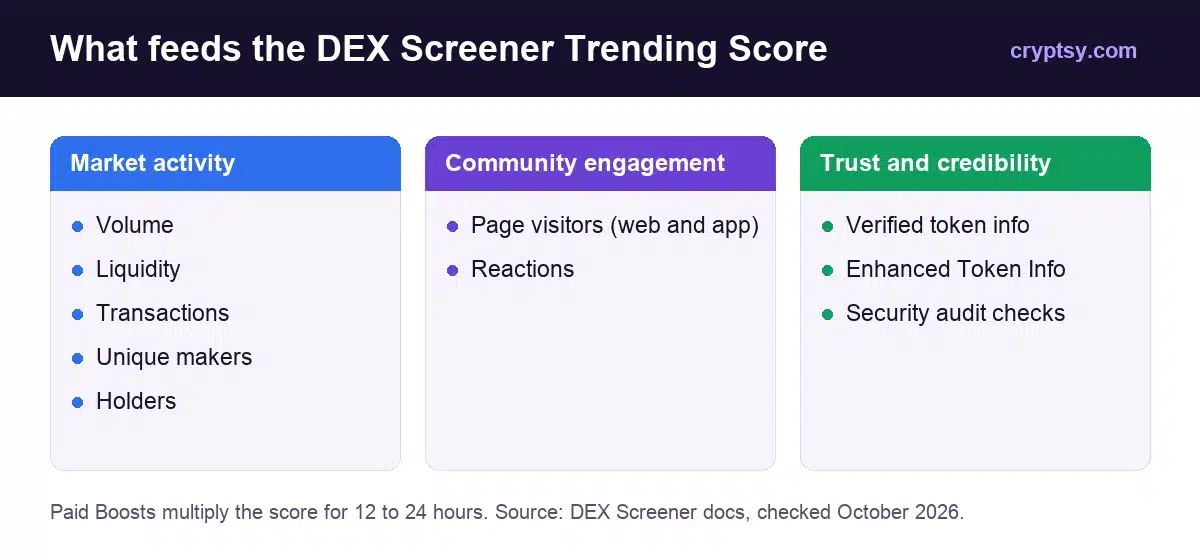
Every token gets a Trending Score, which DEX Screener describes as “a snapshot of the token’s buzz and market activity.” The score ranks tokens on the trending screener and the trending bar. The exact formula is not published, but the inputs are.
| Group | What counts |
|---|---|
| Market activity | Volume, liquidity, transactions, number of makers, holders |
| Community engagement | Visitors to the token’s page on web and app, and reactions |
| Trust and credibility | Verified info, especially Enhanced Token Info, and passing security checks |
Notice what is on that list. Page visits and reactions can be driven by a marketing push. Verified info can be bought. Trending measures attention, not quality.
What Are DEX Screener Boosts?
Boosts are a paid way to push a token up the rankings. A project, or anyone else, buys a Boost pack and the token’s Trending Score rises for a while. The number of active Boosts is shown next to the token.
- Duration: 12 to 24 hours, depending on the pack.
- Effect: a multiplier on the token’s existing Trending Score.
- Golden Ticker: the symbol turns gold while 500 or more Boosts are active.
- Where to buy: on the token page in a web browser. Boosting is not available in the mobile app.
- Refunds: none. Boosts are non-refundable.
- Not eligible: tokens inactive for over 24 hours, or flagged for security risks by DEX Screener’s third-party audit partners.
DEX Screener says Boosts “are not a magic bullet” and do not guarantee that a token trends. For a trader the point is simpler. A gold ticker and a big Boost count mean money was spent on visibility. They say nothing about the contract, the team or the liquidity.
Charts and Indicators
DEX Screener’s charts use TradingView’s Advanced Charts library, so the tools will be familiar if you have used TradingView.
- Chart types: bars, candles, line, area and Heikin Ashi.
- Timeframes: from 1 minute to 1 month.
- Drawing tools: shapes, arrows and brushes, plus Fibonacci and Gann tools.
- Indicators: dozens, including Volume, RSI, moving averages such as EMA, Bollinger Bands and Ichimoku Cloud.
On a token that is a few hours old, indicators have very little history to work with. Volume and liquidity tell you more.
How to Check a Token on DEX Screener
A simple routine covers most of what the site can tell you.
- Search by token address, not by name. Names and symbols can be copied. The contract address cannot.
- Look at liquidity before price. Thin liquidity means a small sell can move the price a long way, and you may not be able to exit at the price on the chart.
- Compare volume with liquidity. Volume many times larger than the pool, from a handful of makers, deserves suspicion.
- Check transactions, makers and holders. These are the same market-activity numbers the Trending Score uses.
- Read the token info. See whether there is a website and working social links, and remember the project supplied them.
- Note the Boost count. It tells you how hard the token is being promoted.
- Check the security flags. DEX Screener uses third-party audit partners. A warning there is a reason to stop.
None of this replaces checking the contract on a block explorer. It is a first filter, and a quick one.
Metas: Tracking Narratives
Metas are DEX Screener’s name for loose groups of tokens that share a theme. In its own description they are “not necessarily about fundamentals, roadmaps, or reality”. They are about narrative and momentum.
Unlike listings, metas are curated by hand, by DEX Screener moderators and community members. They are useful for seeing where attention is moving. They are not a list of recommendations.
The DEX Screener API
DEX Screener offers a free API at api.dexscreener.com. The reference lists endpoints for pairs, token search, token profiles, Boosts, ads and metas. The token profile, ads and metas endpoints are documented with a rate limit of 60 requests per minute.
There are no official Discord bots. DEX Screener’s FAQ suggests building your own with the API.
What DEX Screener Cannot Tell You
- Whether a token is safe. Listing is automatic and unmoderated.
- Whether trending is organic. Boosts and promotion feed the score.
- Whether the team is real. Token info is supplied by the project.
- Whether you can sell. A chart shows past trades, not your exit.
DEX Screener says as much itself, telling users to “do your own research before interacting with any tokens and smart contracts.” Only risk money you can afford to lose.
For a similar tool, see our DEXTools guide. For larger, established coins, start with our top altcoins list.
Frequently Asked Questions
Is DEX Screener free?
The website and apps are free to browse, and DEX Screener describes its API as free. It sells paid products to token projects, such as Enhanced Token Info, Boosts and advertising.
Does DEX Screener have a token?
No. DEX Screener states it has no token, and that any token or pre-sale claiming to be related to it is likely a scam.
How do tokens get listed on DEX Screener?
Automatically. A token appears once it has been added to a liquidity pool and has at least one transaction. There is no review step.
What is a Boost on DEX Screener?
A paid pack that raises a token’s Trending Score for 12 to 24 hours. Boosts are non-refundable and do not guarantee a token will trend.
Is a trending token on DEX Screener safe?
Not necessarily. Trending reflects volume, page visits, reactions and paid Boosts. It is a measure of attention, not of safety.
Where does DEX Screener get its data?
Directly from the blockchains it tracks. It uses its own indexer and says it does not rely on external APIs or data sources.