The best wallets for trading privacy coins depend on which cryptocurrency you hold, how frequently you trade, and whether you prioritize transaction privacy, convenience, or offline security.
For Monero (XMR), the official Monero GUI wallet, Monero CLI, Feather Wallet, Cake Wallet, and Monerujo are options worth evaluating. Hardware wallets from Ledger and selected Trezor models can also secure Monero when paired with compatible wallet software. For Dash (DASH), Dash Core, Dash Electrum, and compatible mobile wallets are options to consider. Always verify current features and device support before transferring funds.
The right choice is a non-custodial wallet with verified support for your specific coin and the privacy features you actually need. For larger holdings, hardware-backed key storage can reduce exposure to malware. For frequent transactions, a compatible mobile or desktop wallet may be more convenient.
| Your priority | Wallet option to investigate | Main consideration |
|---|---|---|
| Full Monero control | Monero GUI or CLI | Greater control, with more setup and synchronization requirements |
| Lightweight Monero desktop use | Feather Wallet | Verify current release, platform, and hardware compatibility |
| Mobile Monero management | Cake Wallet or Monerujo | Check supported assets, device compatibility, and privacy settings |
| Dash features and node control | Dash Core | Requires more storage and synchronization |
| Lightweight Dash access | Dash Electrum | Verify which advanced Dash features are supported |
| Offline key protection | Compatible hardware wallet | Confirm coin, model, firmware, and companion-software support |
A wallet does not make every cryptocurrency transaction anonymous. Monero’s protocol provides strong default transaction privacy, while Dash’s CoinJoin-based PrivateSend feature is different from Monero’s protocol-level privacy. Zcash also has distinct privacy modes, and transparent transactions do not provide the same confidentiality as shielded transactions.
What Makes a Privacy Coin Wallet Different?
A privacy coin wallet is software or a hardware-backed system that lets users manage a cryptocurrency designed to provide some degree of transaction confidentiality. Its actual privacy protections depend on the coin’s protocol, the wallet’s implementation, and how the user operates it.
Three separate concepts matter when evaluating wallets for trading privacy coins.
- Custody: Who controls the private keys needed to authorize transactions?
- Wallet security: How effectively does the wallet protect those keys against theft, malware, loss, and unauthorized access?
- Transaction privacy: What information about the sender, recipient, amount, and transaction history is visible to other people?
These properties are related but not interchangeable. A non-custodial wallet gives users control of their keys, but it does not automatically hide transaction information. A hardware wallet protects key operations, but it cannot erase information already exposed on a public blockchain.
How do Monero, Dash, and Zcash protect transaction privacy?

Monero (XMR)
Monero uses ring signatures, stealth addresses, and confidential transaction amounts to obscure key transaction details by default under its protocol. It is designed for private peer-to-peer payments.

Dash (DASH)
Dash supports ordinary transactions and CoinJoin-based transaction mixing through its PrivateSend feature. CoinJoin combines transaction inputs and outputs to make tracing more difficult, but Dash should not be described as providing the same default transaction confidentiality as Monero.

Zcash (ZEC)
Zcash supports shielded transactions using zero-knowledge cryptography. Its privacy depends on using compatible shielded addresses and transaction flows rather than assuming every transaction is private.
These differences determine which wallet features matter most. A Monero wallet must correctly implement Monero’s protocol. A Dash wallet user interested in CoinJoin must confirm support for the relevant feature. A Zcash user must verify that the wallet supports shielded transactions and the intended address types.
Does a privacy coin wallet hide your identity?
Not necessarily. A privacy-focused blockchain can conceal transaction details while exchanges, internet providers, remote wallet servers, or other services still collect information that may identify a user.
Privacy can be affected by:
- Buying or selling coins through an exchange that requires identity verification.
- Connecting a wallet to a remote node or third-party service.
- Reusing identifying information across transactions or services.
- Device compromise, phishing, malware, or unsafe backups.
- Network metadata that reveals when a wallet connects or broadcasts transactions.
For this reason, evaluate the entire transaction process, not just the wallet’s feature list.

Best Wallets for Monero (XMR)
Monero requires a wallet that understands its privacy protocol, manages its keys correctly, and synchronizes or retrieves blockchain information appropriately. The best option depends on whether you prefer desktop control, mobile convenience, or hardware-backed storage.
Monero GUI and Monero CLI

Best for: Users who want direct control over their Monero wallet.
The official Monero downloads page provides the GUI and command-line wallet options. The GUI offers a visual interface, while the CLI suits users comfortable with terminal commands and more advanced configuration.
Both can support different operating modes, including configurations that give users more control over node connectivity. Running a full node requires more storage and bandwidth than using a remote node.
Advantages
- Official project software with open-source code.
- Access to Monero-specific wallet functionality.
- Options for users who want greater control over their node setup.
- Hardware wallet integration supported through compatible configurations.
Trade-offs
- Initial synchronization may take time and consume storage.
- Advanced settings can be confusing for beginners.
- Incorrect backups or lost recovery information can result in permanent loss of access.
For users who value direct control over their XMR, the official wallet software is a sensible starting point.
Feather Wallet

Best for: Desktop users looking for a lightweight Monero wallet.
Feather is a Monero-focused desktop wallet designed to offer a more lightweight experience than a full-node setup. It is worth evaluating for users who want a dedicated interface for XMR without managing every aspect of the official command-line software.
Review the current release documentation and verify hardware wallet support for your particular device before use.
Advantages
- Focuses on Monero rather than trying to support every cryptocurrency.
- Offers a desktop-oriented alternative to the official GUI.
- May suit users who want a dedicated interface with fewer setup demands.
Trade-offs
- It is not a universal multi-currency wallet.
- Available features depend on the current release and configuration.
- Lightweight wallet operation may involve relying on external infrastructure.
Download Feather only through its verified official project channels. Check release signatures or other published authenticity checks where available.
Cake Wallet and Monerujo

Cake Wallet
Best for: Users who prefer a mobile-first wallet for managing supported assets.
Cake Wallet offers mobile wallet functionality and supports Monero. Its available cryptocurrencies, swap services, hardware integrations, and privacy-related settings should be verified in the current release.
An integrated swap service is not the same as a native blockchain feature. A third-party provider may apply its own fees, eligibility rules, identity checks, and transaction monitoring.

Monerujo
Best for: Android users seeking a Monero-focused mobile wallet.
Monerujo is an Android wallet for XMR. Before installation, verify that the current version is available through the project’s official channels and review its supported connection methods, backup process, and security documentation.
For both wallets, the essential checks are whether the application is genuine, who controls the keys, how wallet recovery works, and whether the supported transaction and network features meet your needs.
Which hardware wallets support Monero?
Hardware wallets keep sensitive key operations on a dedicated device, helping reduce exposure to malware on a connected computer or phone. They are particularly useful for users who hold XMR over longer periods.
The official Monero documentation lists compatible Ledger Nano models and selected Trezor models, with support varying by device and companion application. For example, Monero can be used with supported Trezor devices through compatible third-party software; Trezor Suite itself does not support Monero.

Ledger
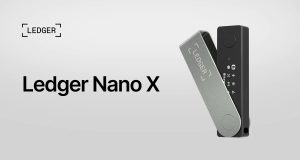
Ledger hardware wallets can secure supported Monero setups through compatible software such as Monero GUI, depending on the device and software versions. See the Ledger Monero guide for compatibility and setup information.
The original article’s Ledger reference and “Visit Ledger” call to action should be retained and linked to the relevant official destination.

Trezor
Selected Trezor devices support Monero through compatible wallet applications. Model-specific support matters: not every Trezor device or software interface supports the same assets.
Consult the Trezor Monero compatibility guide before purchasing or setting up a device.
Important: Never assume that a hardware wallet’s general multi-coin support guarantees compatibility with every Monero function. Confirm the exact device, firmware, wallet software, and recovery method before moving funds.
Best Wallets for Dash (DASH)
Dash wallets vary in how much blockchain infrastructure they manage, which transaction features they expose, and how easy they are to use. If you are choosing a Dash wallet for trading, confirm that it supports the features you intend to use rather than relying on a general claim that it is a privacy wallet.
Dash Core Wallet

Best for: Desktop users who want extensive Dash functionality.
Dash Core is the full Dash wallet and peer-to-peer client. Its documented features include blockchain synchronization, wallet management, and Dash-specific functionality such as InstantSend and CoinJoin-related features.
Because it manages substantially more blockchain data than a lightweight wallet, it is better suited to users who are comfortable with desktop software and the associated storage and synchronization requirements.
Advantages
- Provides access to a broad range of Dash-specific functions.
- Can be used by people who want more direct control over their blockchain infrastructure.
- Is available through official Dash distribution channels.
Trade-offs
- Requires more disk space and initial synchronization time.
- May be unnecessarily complex for someone who only wants to receive and send DASH.
- Privacy-related features must be distinguished from ordinary Dash transfers.
Check the current Dash release notes and documentation before relying on a particular feature.
Dash Electrum and mobile wallets

Dash Electrum
Best for: Users who want lightweight desktop access to DASH.
Dash Electrum is a lightweight wallet option. Compared with a full-node setup, a lightweight wallet can reduce local storage and synchronization requirements by relying on external infrastructure to retrieve blockchain information.
Check its current feature support carefully. Historical Dash documentation distinguishes Dash Electrum from Dash Core in its support for advanced Dash functions, so do not assume every Core feature is available in Electrum.

Dash mobile wallets
Best for: Users who send and receive DASH regularly from a phone.
Dash’s official download page lists wallet options and links to available software. Mobile wallets are convenient for day-to-day use, but their security depends on the device, the wallet implementation, and how recovery information is protected.
Verify the developer, supported operating system, current release, custody model, and required transaction features before installing.
Do hardware wallets support Dash?
Some hardware wallets support DASH, but the exact capabilities depend on the device, firmware, and companion software. A device that can store or sign standard DASH transactions may not support every advanced Dash function.
Before selecting a hardware wallet, confirm:
- Whether DASH is supported on the exact model.
- Whether the companion application supports the intended transaction type.
- Whether private keys remain protected on the hardware device during signing.
- Whether the setup has a documented and tested recovery process.
For long-term storage, a hardware wallet may be appropriate. For frequent trading, a smaller operational balance in a separate compatible wallet can be more convenient. Neither approach removes market risk or guarantees transaction anonymity.
Best Multi-Currency Wallets for Privacy Coins
A multi-currency wallet is useful when you want to manage several assets in one interface. However, support for multiple cryptocurrencies does not mean the wallet implements each coin’s privacy features equally well.
| Wallet | Main use case | What to verify |
|---|---|---|
| Cake Wallet | Mobile-oriented management of supported assets, including Monero | Current asset list, platform support, hardware compatibility, and swap-provider terms |
| Exodus | Multi-asset portfolio management | Current Monero and Dash availability; do not assume historic support remains available |
| Edge Wallet | Mobile wallet management | Current support for each privacy coin and the level of control over private keys |
| Guarda | Multi-chain asset management | Supported coin functions, custody model, and availability in your region |
| Stack Wallet | Multi-asset wallet for privacy-conscious users | Current XMR and DASH support, source code, and feature compatibility |
These are candidates to investigate, not a guarantee that every listed wallet currently supports every asset or privacy feature. Coin support, operating-system availability, and integrated services can change.
For example, Trezor’s current Monero documentation states that Exodus no longer supports Monero, illustrating why older compatibility claims should not be repeated without verification.
How should you choose between a single-coin and multi-currency wallet?
A single-coin wallet is often a better choice when you want specialized functionality, greater control over the relevant blockchain, or access to coin-specific features.
A multi-currency wallet can be more convenient when you manage several assets, but convenience may come with trade-offs in feature depth, external service dependencies, or privacy controls.
Use this decision rule:
- Choose a dedicated Monero wallet if XMR is your main asset and you value Monero-specific functionality.
- Choose Dash Core if you need its full set of supported Dash features and can manage its technical requirements.
- Choose a mobile or multi-currency wallet if everyday access and portfolio convenience matter more, after verifying the relevant privacy and security features.
- Consider a hardware wallet for holdings that you do not need to access frequently.
How to Choose a Privacy Coin Wallet
The best wallet is the one that fits your actual requirements, not necessarily the wallet with the longest feature list.
1. Verify non-custodial control
A non-custodial wallet lets you control the private keys needed to authorize transactions. A custodial provider controls the keys or holds assets on your behalf.
Before choosing a wallet, determine whether you can back up and recover your funds independently of the provider. Review the recovery mechanism rather than relying solely on marketing statements about ownership.
Non-custodial does not mean risk-free. A compromised device, stolen recovery phrase, or malicious wallet application can still lead to losses.
2. Check open-source availability and authenticity
Open-source software allows its source code to be inspected, but this alone does not prove that a wallet is secure. The quality of the code, maintenance practices, dependency management, and release process also matter.
Download from official project websites, verify signatures or checksums where provided, and avoid search advertisements or unsolicited links that imitate legitimate wallet providers.
3. Evaluate hardware wallet support
Hardware wallets can isolate private key operations from a general-purpose computer. But compatibility must be checked at the model and software level.
Confirm the complete combination of:
- Hardware model and firmware.
- Cryptocurrency and network.
- Companion wallet application.
- Supported transaction features.
- Backup and restoration procedure.
Test the setup with a small amount before transferring a significant balance.
4. Understand node and network privacy
Wallets may connect directly to a blockchain node, use a remote node, or depend on other third-party infrastructure. These arrangements differ in their convenience, resource requirements, and potential metadata exposure.
Running your own node can reduce reliance on an external node operator, but it does not make every aspect of your activity anonymous. Network connections, device security, and other services remain relevant.
Tor or a VPN can change how network traffic is routed, but neither guarantees anonymity or protects a compromised device. A wallet’s privacy properties should be evaluated separately from its network configuration.
5. Check multi-signature support where appropriate
Multisignature wallets require multiple authorized keys or approvals for certain transactions. They can reduce the risk associated with a single compromised key and help teams implement shared controls.
However, multisignature support varies by cryptocurrency and wallet. Do not assume that a feature available for Bitcoin or another chain is available for Monero or Dash.
For high-value holdings, establish and test the complete signing and recovery process before relying on it.
6. Compare trading and conversion options
Some wallets integrate swaps or other exchange services. These may be convenient, but they can introduce fees, price spreads, liquidity limitations, third-party custody, identity verification, or regional restrictions.
Check the following before using an integrated service:
- The actual exchange rate and total fees.
- Whether you remain in control of the assets during the process.
- Which service provider processes the transaction.
- Whether the provider requires KYC or imposes regional restrictions.
- Whether the transaction uses the privacy features you expect.
A wallet does not remove the identity-verification requirements of a separate exchange or service.
7. Build a recovery plan before funding the wallet
Wallet recovery is essential because cryptocurrency transactions are generally irreversible.
- Store recovery information securely and offline.
- Never share a seed phrase or private key with support staff or websites.
- Avoid keeping the only recovery copy on the device that holds the wallet.
- Follow the wallet’s official backup instructions.
- Test recovery using the supported procedure before relying on the wallet for substantial funds.
For hardware wallets, verify whether recovery information is compatible with the particular device and wallet implementation. A recovery phrase should not be assumed to restore every asset or account across every wallet brand.
How to Improve Privacy When Trading Privacy Coins
A privacy-focused cryptocurrency is only one part of a broader privacy strategy. The following measures can reduce avoidable risks without promising complete anonymity.
Use the coin’s intended privacy features
For Monero, use a compatible wallet that correctly implements its protocol. For Dash, understand the distinction between ordinary transactions and CoinJoin-based features. For Zcash, confirm whether transactions are shielded and whether the wallet supports the required address types.
Do not assume that changing an address, installing a VPN, or using a wallet with an anonymity-related label makes a transparent transaction private.
Separate operational and long-term holdings
A practical setup may use one wallet for frequent transactions and another, preferably hardware-backed, for longer-term storage.
For example, someone who regularly sends small amounts of XMR may keep a limited operational balance in a compatible mobile wallet and store the majority of their holdings in a hardware-backed setup. This is a risk-management example, not a recommendation to buy or hold Monero.
Separate wallets can reduce some operational risks, but they do not guarantee that transactions cannot be linked through other information.
Minimize unnecessary third-party exposure
Review which services your wallet contacts and what information they may receive. Remote nodes, swap providers, analytics services, and exchanges can have different data practices.
Use only services you understand, review their privacy policies, and avoid granting unnecessary permissions. Where practical, consider whether operating your own node fits your technical ability and resource constraints.
Keep trading records where required
Privacy and compliance are not mutually exclusive. Depending on your jurisdiction, you may need records of purchases, sales, transfers, fees, and the cost basis of your holdings.
Keep appropriate records securely and consult a qualified tax professional if you are unsure which reporting requirements apply. Do not assume that the use of a privacy coin removes legal obligations.
Security, Regulation, and Risk Considerations
Privacy coin wallets should be evaluated as security tools, not as guarantees of investment returns or freedom from regulatory oversight.
Are privacy coins legal worldwide?
No single legal answer applies globally. Rules differ across jurisdictions and may cover ownership, exchange listings, trading, payment services, reporting obligations, and the activities of service providers.
Some exchanges restrict or delist certain privacy coins. Others may offer them subject to local rules, eligibility requirements, or identity verification.
Before trading, check current guidance from the relevant financial regulator, tax authority, and exchange. The legal status of a coin, the availability of an exchange service, and the legal obligations of an individual user are separate questions.
Does a no-KYC wallet guarantee anonymity?
No. A wallet that does not require identity verification during installation may still interact with services that collect personal information.
KYC generally refers to identity verification conducted by a regulated service provider. It is not a technical feature of the blockchain itself. An exchange may require verification even if the wallet used to receive the coins does not.
What are the main risks of privacy coin wallets?
- Phishing and malicious software: Fake wallet downloads and compromised devices can expose keys.
- Recovery failure: Lost or incorrectly backed-up recovery information can make funds inaccessible.
- Third-party dependence: Remote nodes and swap providers may introduce additional privacy or availability risks.
- Compatibility mistakes: Unsupported transaction types, firmware, or wallet software can prevent access or cause operational problems.
- Regulatory uncertainty: Local laws and service availability can change.
- Market volatility: Privacy coins can experience substantial price fluctuations, and wallet security does not protect against investment losses.
For significant holdings, consider obtaining independent technical or security advice and document a recovery plan before funds are transferred.
Frequently Asked Questions
What are the best wallets for trading privacy coins?
The best option depends on the cryptocurrency and the intended use. For Monero, investigate the official Monero GUI and CLI, Feather Wallet, Cake Wallet, and Monerujo. For Dash, investigate Dash Core, Dash Electrum, and compatible mobile wallets. Verify current support, security practices, and required features before choosing.
What is the best wallet for Monero (XMR)?
The official Monero GUI is a strong starting point for users who want a graphical interface and Monero-specific functionality. Monero CLI is suited to technically experienced users, while Feather, Cake Wallet, and Monerujo offer alternative desktop or mobile experiences. Hardware-backed storage is also available through compatible configurations. The best choice depends on your platform, experience, and security requirements.
What is the best wallet for Dash (DASH)?
Dash Core is worth considering if you want extensive Dash functionality and can manage a full-node wallet. Dash Electrum and compatible mobile wallets may be more convenient for everyday use. Confirm current support for advanced Dash features before choosing a wallet.
Can one wallet store both Monero and Dash?
Some multi-currency wallets may support both assets, but compatibility must be confirmed in the current version. A wallet may support receiving and sending an asset without supporting every privacy feature or hardware integration. Check the official documentation for each cryptocurrency before transferring funds.
Are hardware wallets suitable for privacy coins?
Yes, compatible hardware wallets can help protect private keys by isolating key operations from a general-purpose computer. However, they do not automatically make every transaction anonymous. Verify support for the exact coin, hardware model, firmware, and companion wallet application.
Are privacy coin wallets anonymous?
Not necessarily. Monero provides protocol-level transaction privacy by default, while Dash and Zcash have different privacy models and transaction options. Wallet connections, exchanges, network metadata, device security, and user behavior can also affect anonymity.
Do privacy coin wallets require KYC?
Installing and using a self-custody wallet does not inherently require identity verification. However, exchanges, integrated swap providers, custodians, and other financial services may require KYC or impose regional restrictions. Requirements depend on the provider and jurisdiction.
Is Monero more private than Dash?
Monero is designed to provide transaction privacy by default at the protocol level. Dash supports CoinJoin-based transaction mixing through PrivateSend, which is a different approach and should not be equated with Monero’s default privacy model. The relevant comparison depends on the transaction type and the wallet features used.
Can I use a VPN or Tor with a privacy coin wallet?
Some wallets and configurations support Tor or other network-routing options. A VPN may also change how a network connection appears to external services. These tools can help address certain network privacy concerns, but neither guarantees anonymity or compensates for compromised devices, identifying exchange accounts, or exposed transaction data.
How should I secure a privacy coin wallet?
Download authentic software, protect your recovery phrase, enable available device security controls, and consider hardware-backed key storage for larger balances. Verify wallet compatibility before transferring funds, test the recovery process, and never share private keys or seed phrases with anyone.
Are privacy coins a good investment?
That depends on your financial circumstances, risk tolerance, time horizon, and assessment of the asset. Privacy coins can be volatile and face changing exchange availability and regulatory conditions. Wallet selection is a security decision, not evidence that a cryptocurrency will increase in value. Research the risks independently and do not invest money you cannot afford to lose.