


The Robinhood API that Robinhood documents publicly is the Robinhood Crypto Trading API. It lets you read crypto market data, check your account and holdings, and place or cancel crypto orders from your own code. It is available to Robinhood Crypto customers in the United States, uses signed requests with an Ed25519 key pair, and allows 100 requests per minute per account.
This guide walks through setup, authentication, the endpoints and the limits, using Robinhood’s API documentation and help center as it read on October 8, 2026.
Key Takeaways
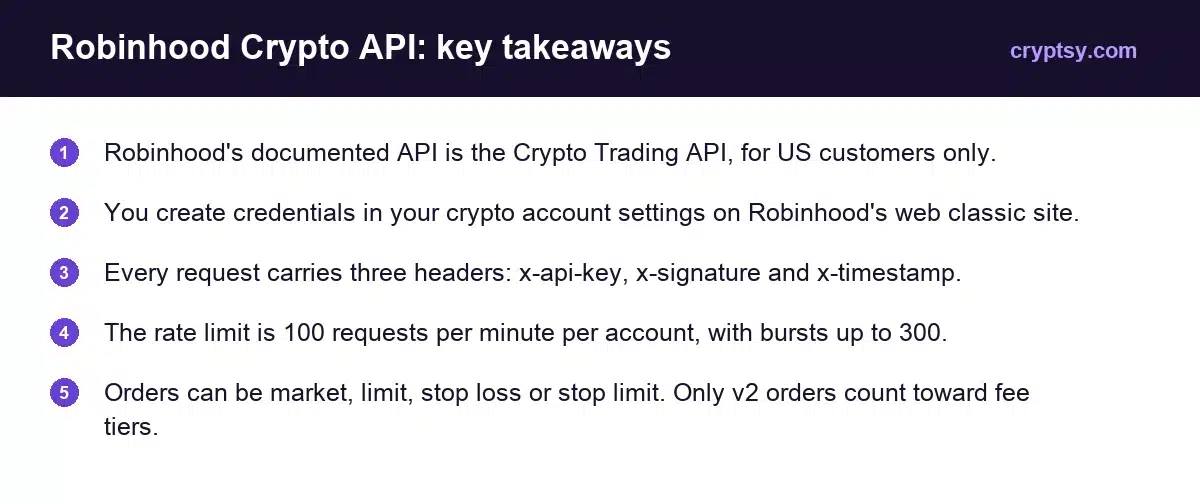
- Robinhood’s documented API is the Crypto Trading API, for US customers only.
- You create credentials in your crypto account settings on Robinhood’s web classic site.
- Every request carries three headers: x-api-key, x-signature and x-timestamp.
- The rate limit is 100 requests per minute per account, with bursts up to 300.
- Orders can be market, limit, stop loss or stop limit. Only v2 orders count toward fee tiers.
What Is the Robinhood Crypto Trading API?
It is Robinhood’s official programmatic access for crypto. In Robinhood’s words, the API “lets you view crypto market data, access your account information, and place crypto orders programmatically.”
Two limits shape who can use it:
- US only. The documentation states the API “is available to customers in the United States only.”
- Crypto only. The documented endpoints cover crypto accounts, trading pairs, holdings, prices and orders. Stocks and options are not part of this API.
Use of the API is subject to the Robinhood Crypto Customer Agreement.
v1 vs v2: Which Version Should You Use?
There are two versions. All read-only actions work on both. The difference is how orders are priced.
| v1 | v2 | |
|---|---|---|
| Place orders | Without fee tiers | With fee tiers |
| Counts toward 30-day fee tier volume | No | Yes |
| Read-only actions (accounts, holdings, prices) | Yes | Yes |
| Deprecation date | None announced | Current version |
Robinhood’s help center says only orders placed through the v2 endpoint count toward eligible 30-day trading volume. If you trade often enough for fee tiers to matter, use v2. Robinhood also says there is currently no deprecation timeline for v1.
How to Get Robinhood API Keys
- Generate a key pair on your own machine. Robinhood’s docs use an Ed25519 key pair and give a Python example using the pynacl library. You keep the private key. You give Robinhood only the public key.
- Sign in to Robinhood on web classic and open your crypto account settings.
- Create API credentials. Paste in your public key and choose which API actions the key may perform.
- Copy the API key Robinhood issues. Keys created after August 13, 2024 look like
rh-api-followed by an ID.
Choose the smallest set of actions you need. A key that only reads prices and holdings cannot place an order if it leaks. You can modify, disable or delete credentials at any time.
Robinhood is direct about the private key: “never share your private key with anyone. Robinhood will never ask you to share it with us.” It recommends storing keys encrypted, not in plain text.
How Robinhood API Authentication Works
Every authenticated request needs three HTTP headers.
| Header | What it contains |
|---|---|
| x-api-key | The API key Robinhood issued for your credentials |
| x-timestamp | The current Unix time. Valid for 30 seconds |
| x-signature | A signature made with your private key |
The signature is made over one string, built in this order:
message = f"{api_key}{timestamp}{path}{method}{body}"Sign that message with your Ed25519 private key and send the result, base64 encoded, as x-signature. For a request with no body, such as a simple GET, leave the body out of the message.
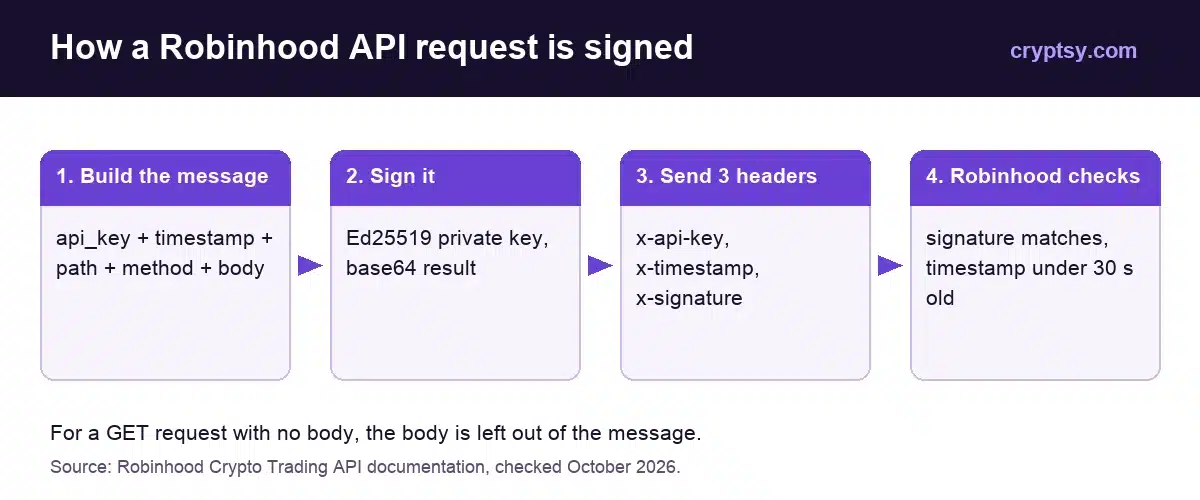
The 30-second window catches most first-time errors. Robinhood rejects an expired timestamp, so generate it immediately before each request rather than once at the start of a script.
Robinhood Crypto API Endpoints
Requests go to https://trading.robinhood.com. These are the v2 paths:
| What it does | Method and path |
|---|---|
| Get your crypto account | GET /api/v2/crypto/trading/accounts/ |
| List trading pairs | GET /api/v2/crypto/trading/trading_pairs/ |
| Get holdings | GET /api/v2/crypto/trading/holdings/ |
| Best bid and ask | GET /api/v2/crypto/marketdata/best_bid_ask/ |
| Estimated price for a size | GET /api/v2/crypto/trading/estimated_price/ |
| List or get orders | GET /api/v2/crypto/trading/orders/ |
| Place an order | POST /api/v2/crypto/trading/orders/ |
| Cancel an order | POST /api/v2/crypto/trading/orders/{id}/cancel/ |
The v1 paths are the same with v1 in place of v2, apart from the estimated price endpoint, which sits under market data in v1. List endpoints return results a page at a time, with a cursor link to the next page, and some accept a limit parameter.
Symbols are written as uppercase USD pairs, such as BTC-USD. Only pairs marked is_api_tradable=true in the trading pairs endpoint can be traded through the API, so check that list before you build around a coin.
Which Order Types Does the Robinhood API Support?
| Order type | Config object | Use it to |
|---|---|---|
| Market | market_order_config | Buy or sell straight away at the current price |
| Limit | limit_order_config | Set the worst price you will accept |
| Stop loss | stop_loss_order_config | Trigger a sale or buy when the price hits a stop level |
| Stop limit | stop_limit_order_config | Trigger a limit order at a stop level |
Each order also takes a side (buy or sell), a symbol and a client order ID that you generate. Robinhood’s example order buys 0.1 BTC at market with an asset_quantity of 0.1. You can also size orders by quote_amount, the amount in dollars.
What Are the Robinhood API Rate Limits?
| Limit | Value |
|---|---|
| Requests per minute, per account | 100 |
| Burst capacity, per account | 300 |
| Timestamp validity | 30 seconds |
Robinhood applies the limit as a token bucket. You start with 300 tokens, each call uses one, and the bucket refills over time. A script that fires 300 calls at once will then be held to the steady rate. For anything that polls prices, a short sleep between calls avoids running dry.
Keeping a Trading Bot Safe
- Separate keys by job. A read-only key for dashboards, a trading key only where you place orders.
- Store the private key encrypted, as Robinhood recommends, and keep it out of code repositories.
- Disable a key the moment you suspect it leaked. You can do it from your crypto account settings.
- Test with small sizes first. A bug in a loop can send orders far faster than you can cancel them by hand.
- Use limit orders for size. The estimated price endpoint shows what a given quantity would cost before you send it.
Crypto held through Robinhood Crypto is not FDIC insured or SIPC protected, as Robinhood’s own disclosures state. An automated strategy can lose money quickly, so start small.
For what trades cost on Robinhood, see our Robinhood crypto fees guide. To compare with an exchange that publishes maker and taker rates, see our Kraken fees guide.
Frequently Asked Questions
Does Robinhood have an API?
Yes. Robinhood publishes the Robinhood Crypto Trading API, which lets US customers read crypto market data and account information and place crypto orders programmatically.
Can I trade stocks with the Robinhood API?
The API Robinhood documents is for crypto. Its endpoints cover crypto accounts, trading pairs, holdings, prices and orders.
How do I get a Robinhood API key?
Generate an Ed25519 key pair, sign in to Robinhood on web classic, open your crypto account settings, create API credentials with your public key and choose the actions to allow. Robinhood then issues the API key.
What is the Robinhood API rate limit?
100 requests per minute per user account, with bursts of up to 300, applied as a token bucket.
What is the difference between Robinhood API v1 and v2?
Both support all read-only actions. Only v2 places orders with fee tiers, and only v2 orders count toward your 30-day trading volume for those tiers.
Is the Robinhood API available outside the US?
No. Robinhood states the Crypto Trading API is available to customers in the United States only.