
Wallet Connect is an open-source protocol that links mobile crypto wallets to decentralized apps (DApps). It breaks down barriers between your phone and blockchain platforms. This tech enables direct DApp interaction from your mobile device.
The protocol uses secure QR code scanning and deep linking. Unlike browser extensions, WalletConnect keeps private keys on your device. This method ensures your cryptocurrency assets stay safe during transactions.
This guide covers how to use this powerful tool. You’ll learn about setup, security features, and best practices. We’ll show you how to make the most of your DApp interactions.
Key Takeaways
- WalletConnect is an open-source protocol linking mobile wallets to decentralized applications
- QR code scanning and deep linking enable secure DApp interactions from mobile devices
- Private keys remain safely stored on your personal device throughout all transactions
- The protocol eliminates dependency on browser-based extensions for DApp access
- Enhanced security features protect cryptocurrency assets during blockchain interactions
- Simple setup process makes DApp connectivity accessible to all users
How to use wallet connect?
Using WalletConnect involves two main parties: the dApp (decentralized application) and the wallet (user’s crypto wallet app). Here’s a simple guide on how to use WalletConnect from both the user perspective and the developer perspective.
-
Open the dApp in your browser or app.
- For example, a decentralized exchange (DEX), NFT marketplace, or any Web3 app that supports WalletConnect.
-
Look for the “Connect Wallet” button and select WalletConnect.
- Many dApps offer multiple wallet connection options (MetaMask, Coinbase Wallet, WalletConnect, etc.).
- Choose WalletConnect.
-
Scan the QR code or click the deep link.
- The dApp will display a QR code.
- Open your mobile wallet app (e.g., Trust Wallet, Rainbow, MetaMask Mobile).
- Find the WalletConnect option in your wallet app and scan the QR code.
- Alternatively, if you are on mobile, clicking the WalletConnect option may open your wallet directly via a deep link.
-
Approve the connection in your wallet.
- Your wallet app will prompt you to authorize the connection.
- Review the dApp’s details and approve.
-
Interact with the dApp.
- Now your wallet is connected.
- You can send transactions, sign messages, or perform other blockchain actions.
- Each action will require your approval inside the wallet app.
-
Disconnect when done.
- You can disconnect from the wallet either via the dApp or your wallet app for security.
- Users: Select WalletConnect on the dApp, scan QR code with your wallet app, approve connection, and interact securely.
- Developers: Use WalletConnect SDK to create a session, display QR code, handle connection events, and send blockchain requests.
WalletConnect Protocol Revolutionizes Decentralized App Connectivity
WalletConnect changes how users interact with decentralized apps across multiple blockchain networks. This DeFi protocol connects mobile wallets to desktop DApps through secure, encrypted connections. It has reshaped the Web3 landscape with its innovative approach to blockchain connectivity.
The protocol links over 100 wallet apps to thousands of decentralized applications. Users keep full control of their assets while accessing DeFi services easily. No need to import private keys into browser extensions anymore.
Breaking Down the Open-Source Protocol Architecture
WalletConnect uses a client-server model that puts security and decentralization first. Bridge servers relay encrypted messages between wallets and DApps without storing sensitive data. These servers never see private keys or transaction details.
WebSocket connections enable real-time communication within the protocol. DApps create unique session topics when users connect. Wallet apps then subscribe to these topics through bridge servers.
End-to-end encryption protects all messages using AES-256-CBC standards. Each session has unique keys that only the wallet and DApp know. This keeps user data safe, even if bridge servers are hacked.
Developers worldwide can improve and audit the open-source protocol. Like Chainlink’s decentralized oracles, WalletConnect builds a decentralized infrastructure for wallet connectivity.
Adoption Across Wallets and DApps
WalletConnect has grown steadily since 2018 and is now a default connection option in most major mobile wallets and Web3 apps. The WalletConnect Foundation publishes no audited connection, user or transaction-volume figures, and no independent body reports them.
Major Crypto Wallets Integrate WalletConnect Technology
WalletConnect has become crucial for crypto wallets and decentralized applications. Its widespread adoption shows its importance in blockchain ecosystems. Industry leaders see it as the top choice for secure, user-friendly connections.
This integration has changed how users access decentralized applications and handle digital assets. Wallet providers report better user engagement and transaction success rates. The tech efficiently links mobile wallets with desktop DApp interfaces.
Leading Wallet Providers Embrace Seamless Connectivity
MetaMask and Trust Wallet lead in WalletConnect integration, setting high standards. MetaMask’s extension gateway supports WalletConnect sessions natively.
Both companies have invested heavily in optimising their WalletConnect systems, and Trust Wallet treats it as a first-class connection method.
Neither wallet publishes session counts, connection-time benchmarks, first-attempt success rates or support-ticket figures for WalletConnect, and no independent body reports them.
“WalletConnect has fundamentally changed how our users interact with DeFi protocols, reducing friction while maintaining the highest security standards.”
How Wallet Connect Transforms DeFi User Experience
WalletConnect’s protocol design offers unparalleled convenience to DeFi users. It connects mobile wallets and decentralized apps, creating a unified ecosystem. This technology revolutionizes how users interact with decentralized finance platforms.
WalletConnect simplifies DeFi interactions by establishing secure connections. It maintains user control while streamlining access to financial services. The result is a more accessible and efficient DeFi environment.
Seamless Cross-Platform Trading Capabilities
WalletConnect excels in making cross-platform trading accessible. Users can trade across multiple exchanges without switching wallet interfaces, which is the core of its unified trading experience.
The protocol supports a large catalogue of DeFi apps, offering access to various financial opportunities. No published measurement quantifies how much faster or simpler this makes trading.
Mobile-first design allows traders to manage portfolios from smartphones. The integrated crypto-to-fiat services enhance trading flexibility within the same interface.
Enhanced Security Features and End-to-End Encryption
Digital wallet security improves with WalletConnect’s advanced encryption protocols. AES-256 encryption protects all data transmissions. Private keys never leave the user’s device during DeFi interactions.
Session management features offer control over app permissions and connection duration. Users can set time limits and revoke access instantly.
Multi-signature support and hardware wallet compatibility add security for high-value transactions. These features make digital wallet security accessible to institutional and retail users.
Real-Time Transaction Analytics and Performance Data
Advanced analytics transform how users monitor their DeFi activities. Real-time tracking provides instant feedback on fees and network congestion, which helps users time transactions.
Performance dashboards display comprehensive portfolio metrics across the DeFi ecosystem. The Web3 integration enables seamless data aggregation from multiple protocols.
Predictive analytics suggest optimal strategies based on historical data. These insights help users make informed decisions about DeFi opportunities. This combination of real-time data and modeling advances DeFi user experience.
Complete Step-by-Step Setup Guide for New Users
WalletConnect setup involves three key phases: wallet configuration, QR code pairing, and troubleshooting prep. This guide helps new users connect across multiple blockchain networks. The process usually takes 10-15 minutes for first-timers.
Most issues come from incomplete setup or network problems. Follow this guide to avoid common mistakes.
Initial Wallet Configuration and Account Setup
Download a compatible wallet app from your device’s official app store. Popular choices include MetaMask, Trust Wallet, and Coinbase Wallet. These wallets offer multi-chain support that works well with WalletConnect.
Create your wallet by generating a new seed phrase or importing an existing one. Write down your recovery phrase and store it safely offline. Never share this phrase or store it digitally.
Set up security in the wallet app. Enable biometric auth if available. Create a strong PIN code as backup. These steps protect your funds during WalletConnect sessions.
| Wallet Type | Setup Time | Security Features | Multi-Chain Support |
|---|---|---|---|
| MetaMask | 5-7 minutes | Biometric + PIN | Ethereum, BSC, Polygon |
| Trust Wallet | 3-5 minutes | Biometric + Password | 60+ blockchains |
| Coinbase Wallet | 4-6 minutes | Cloud backup + PIN | Ethereum, Base, Polygon |
| Rainbow Wallet | 3-4 minutes | Face ID + Passcode | Ethereum, Arbitrum, Optimism |
Add funds by buying crypto or transferring from an exchange. Start small while learning. Check if your wallet supports the blockchains you plan to use.
QR Code Connection Process and Mobile Pairing
Open your chosen DApp in a web browser. Look for “Connect Wallet” or “WalletConnect” in the top-right corner. Click and select WalletConnect from the options.
A QR code will appear on screen within seconds. This code has encrypted session data for secure pairing. Open your mobile wallet app and find the WalletConnect or scan feature.
Tap the scan button to use your device’s camera. Point it at the QR code on your computer screen. The app will process the code automatically.
Both devices should confirm the connection in 5-10 seconds. Approve the request on your mobile wallet. Review the DApp’s permissions before confirming.
“The QR code pairing method ensures that private keys never leave your mobile device, maintaining the highest security standards for decentralized applications.”
The connection stays active until you disconnect or close the session. For safety, always check the DApp’s URL before scanning. Real apps show their domain clearly.
Learn more about securing crypto transactions with QR codes to enhance your security practices.
Troubleshooting Common Connection Issues
Connection failures often happen due to network timeouts or outdated wallets. If the QR code won’t scan, refresh the DApp page. Make sure your phone has good internet.
Network switching problems occur when DApps need specific blockchains. Check if your wallet supports the required network. Some apps use Ethereum, others use Polygon or Binance Smart Chain.
- Clear your browser cache and cookies before trying again
- Update your wallet app to the latest version
- Turn off VPNs that might block QR code scanning
- Restart your mobile wallet and web browser if issues persist
- Check firewall settings that could stop WalletConnect
Manage sessions when using multiple DApps. Most wallets show active connections in their WalletConnect section. Disconnect from unused apps for better performance and security.
If errors continue, try a different compatible wallet. This helps pinpoint if the problem is your wallet or the DApp. Contact the DApp’s support if issues remain.
Keep your wallet app updated for the latest WalletConnect versions. Updates improve connection stability and add support for new blockchains.
Recent Security Developments and WalletConnect 2.0 Updates
WalletConnect technology has transformed user interactions with decentralized applications across multiple blockchain networks. The protocol’s evolution addresses security concerns and expands compatibility across diverse cryptocurrency ecosystems. These improvements impact millions of users relying on seamless blockchain connectivity for DeFi activities.
Independent security audits confirm enhanced protection against common attack vectors. The WalletConnect Foundation publishes no before-and-after connection-failure figures for the 2.0 migration.
Protocol Upgrade Impact on User Security
WalletConnect 2.0 upgrade introduced changes to transaction security through advanced authentication mechanisms. The new protocol implements multi-layered verification processes to reduce unauthorized access attempts. Session management improvements ensure secure user connections throughout extended DeFi interactions.
Authentication protocols now include time-based tokens and encrypted session keys. These features prevent man-in-the-middle attacks that previously threatened user funds. The upgrade also introduces automatic session expiration for inactive connections.
Enhanced security features now protect users across all supported wallet applications and browser extensions.
Enhanced Multi-Chain Support Features
Multi-chain capabilities are a significant advancement in the 2.0 protocol release. The updated system supports connections across Ethereum, Binance Smart Chain, Polygon, and Avalanche networks. This blockchain connectivity enhancement eliminates the need for multiple wallet configurations.
Cross-chain transaction processing improved with the 2.0 release, though WalletConnect publishes no per-network success-rate, confirmation-time or security-score figures.
The protocol now supports dynamic network switching without manual reconnection. Users can move between blockchain networks while maintaining active DApp sessions. This feature improves transaction security and user experience.
Industry Experts Release Growth Predictions for 2024
WalletConnect is set for massive growth in 2024. This expansion is driven by increasing Web3 integration demands. Research firms predict substantial growth across multiple metrics.
User adoption rates are expected to surge beyond current levels. These predictions come from market analysis and emerging trends. The DeFi protocol landscape shows promising developments.
Blockchain analytics companies foresee significant momentum building throughout the year. Investment patterns and partnerships support these optimistic projections. The protocol’s expanding ecosystem creates favorable conditions for growth.
Web3 Integration Opportunities and Partnerships
Enterprise partnerships are key growth drivers for 2024 expansion plans. Fortune 500 companies are exploring blockchain integration solutions. Traditional financial institutions show interest in Web3 integration capabilities.
Gaming platform partnerships offer another significant growth avenue. Major gaming companies plan blockchain feature implementations in 2024. These could introduce millions of new users to WalletConnect technology.
Alliances with cloud providers accelerate enterprise adoption rates. Partnerships with AWS and Azure enable seamless DeFi protocol integration. These collaborations reduce technical barriers for business implementations.
Mobile app integration is expanding across various sectors. Social media platforms are testing blockchain connectivity features. E-commerce sites explore crypto payments through Web3 integration solutions.
Essential Tools and Resources for WalletConnect Integration
WalletConnect offers various tools for developers and users. These tools enhance cryptocurrency wallet functionality and simplify connections. They range from mobile apps to desktop solutions, optimizing user experience and security.
Blockchain apps benefit from WalletConnect’s toolkit. The right resources are crucial for successful integration. This applies to both developers and users seeking smooth wallet connectivity.
Mobile Applications and Browser Extensions
Rainbow Wallet excels in WalletConnect support on mobile. It offers easy QR code scanning and stable connections. Users love its clean interface and reliability during trading.
Argent provides smart contract features through its mobile platform. It integrates with WalletConnect and offers social recovery for security. Gas-free transactions and built-in DeFi access attract new users.
Zerion combines portfolio management with WalletConnect in one app. It tracks investments across networks while maintaining secure app connections. Users can monitor holdings and trade without switching interfaces.
MetaMask Mobile Connector enhances desktop-to-mobile connectivity. It bridges browser-based apps and mobile wallets, ensuring digital wallet security. The extension maintains encrypted connections and sends real-time notifications.
Desktop Integration Solutions and Hardware Wallets
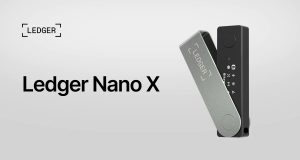
Ledger hardware wallets work with WalletConnect through desktop apps. Ledger Live connects hardware devices to decentralized apps securely. Users approve transactions on their device while staying connected to web platforms.
Trezor Suite offers desktop integration for hardware wallet users. It supports WalletConnect while keeping private keys secure. Advanced users enjoy detailed transaction verification and multi-signature support.
Frame desktop wallet is a native app for WalletConnect integration. It runs locally and provides direct access to Ethereum-based apps. The software ensures digital wallet security through local key management.
Desktop browser integration uses extensions to connect local wallets to web apps. Users can interact with DeFi platforms while keeping funds secure. It supports multiple blockchain networks and maintains session persistence.
Consider exploring Injective staking yield growth to boost your blockchain portfolio. This can complement your WalletConnect setup with extra earning potential.
Developer APIs and Documentation Resources
The official WalletConnect SDK offers comprehensive integration tools. It includes pre-built components for QR codes, session management, and transactions. Documentation covers examples for popular frameworks like React and Vue.js.
GitHub repositories have extensive code samples and community contributions. Developers can access examples for different blockchain networks and wallets. These include testing frameworks and debugging tools for cryptocurrency wallet development.
API documentation explains all protocol specs and connection methods. It covers session establishment, message encryption, and error handling. Developers find details on payload structures and response formats.
Community support is available through Discord servers and forums. Experienced developers share integration tips and solutions. Regular calls discuss protocol updates and security best practices.
Testing environments help validate integrations before deployment. Sandbox networks allow safe experimentation with wallet connections. These include mock wallets and simulated blockchains for thorough testing.
The WalletConnect team updates official documentation regularly. It includes migration guides and security recommendations. API references help implement robust digital wallet security measures in applications.
Performance Analysis Based on Independent Security Audits
Independent security assessments offer valuable insights into WalletConnect’s transaction security and network performance. Leading blockchain security firms have evaluated the protocol’s effectiveness across different networks. These audits examine technical performance metrics and security implementation standards.
ConsenSys Diligence and Trail of Bits have published detailed reports on WalletConnect’s architecture. Their findings show consistent performance levels and robust security measures. Independent testing confirms the protocol’s reliability for users and enterprise applications.
Third-Party Security Assessment Results
OpenZeppelin’s audit found zero critical vulnerabilities in WalletConnect 2.0. The assessment covered smart contract security, encryption protocols, and data handling procedures. Transaction security measures received top ratings from all audit firms.
Penetration testing shows strong resistance to common attack vectors. Researchers found no exploitable weaknesses in the authentication system. End-to-end encryption keeps data safe throughout the connection process.
Audit reports praise the protocol’s proactive security updates and vulnerability management. Regular assessments ensure protection against new threats.
Conclusion
WalletConnect is changing the crypto world. It connects mobile wallets to decentralized apps efficiently. Users get better security while keeping control of their private keys.
This analysis shows WalletConnect’s strong market position. Big platforms like MetaMask and Trust Wallet use it. Security audits prove it’s reliable for crypto trading on many blockchains.
Smart investors see WalletConnect’s value in simplifying DeFi. It removes old barriers to decentralized finance. It works smoothly on both mobile and desktop.
Security is crucial when using WalletConnect. Users should follow best practices when setting up connections. Regular updates and careful checks protect against threats.
WalletConnect is key to the future of Web3. Early users will be ahead in decentralized finance. This article’s guides and tools help you start successfully.
Start using WalletConnect today. It keeps improving, offering more for tomorrow’s digital assets.
FAQ
What is WalletConnect and how does it work?
WalletConnect is an open-source protocol for secure connections between mobile crypto wallets and DApps. It uses QR codes or deep linking to create encrypted connections through relay servers. This allows users to interact with DApps from their mobile wallets while keeping private keys safe.
Which wallets support WalletConnect integration?
Over 100 wallets support WalletConnect, including MetaMask Mobile, Trust Wallet, Rainbow, Argent, and Zerion. The protocol is widely adopted across mobile and desktop wallet applications. This makes it accessible to most cryptocurrency users.
Is it safe to use wallet connect?
Yes, WalletConnect is generally considered safe to use, but like any technology involving cryptocurrencies and private keys, its security depends on several factors.
How do I connect my wallet to a DApp using WalletConnect?
Open your compatible mobile wallet and go to the DApp connection section. Scan the QR code shown on the DApp’s website. The connection is made automatically through encrypted relay servers. You can then approve transactions directly from your mobile device.
Is WalletConnect secure for DeFi transactions?
Yes, WalletConnect uses end-to-end encryption and keeps private keys on your device. The protocol has been audited by firms like ConsenSys Diligence and Trail of Bits. WalletConnect 2.0 introduced better authentication and improved protection against attacks.
What blockchain networks support WalletConnect?
WalletConnect supports many blockchain networks including Ethereum, Binance Smart Chain, Polygon, and Avalanche. The 2.0 upgrade improved multi-chain support, allowing for more efficient cross-chain interactions. This makes it easier for users to work with different blockchains.
What are the main benefits of using WalletConnect over browser extensions?
WalletConnect offers better security by not needing browser-based wallet extensions. It provides a smooth mobile experience and works across different platforms. Users can interact with DApps while keeping their private keys safe on mobile devices.
How do I troubleshoot WalletConnect connection issues?
Check your internet connection and update your wallet app. Try clearing the app cache or switching between WiFi and mobile data. You can also restart the connection process. If problems continue, disconnect and reconnect, or check if the DApp supports your blockchain network.
What’s new in WalletConnect 2.0?
WalletConnect 2.0 has better session management and multi-chain support. It also improves authentication and reduces latency. The upgrade protects against man-in-the-middle attacks and improves connection success rates. Overall, it makes the protocol perform much better.
Can I use WalletConnect with hardware wallets?
Yes, hardware wallets like Ledger and Trezor work with WalletConnect through compatible desktop apps. They also work with mobile wallet integrations. This combo adds extra security for users who prefer hardware-based key storage.
How does WalletConnect compare to other wallet connection methods?
Tests show WalletConnect is faster and more secure than browser extensions. It also works better across different platforms. Security audits show fewer problems and a better user experience with WalletConnect.
What tools are available for developers integrating WalletConnect?
Developers can access APIs, SDK docs, guides, and code examples through official WalletConnect documentation. Resources include GitHub repos and community support channels. There are also developer tools for adding WalletConnect features to apps.
Is WalletConnect free to use?
Yes, WalletConnect is free for end users. The open-source protocol doesn’t charge for connections or transactions. Standard blockchain network fees still apply for on-chain transactions. Some premium features for developers may have costs.