
Coinbase’s fees depend entirely on which part of the platform you use. The basic app charges a spread of roughly 0.50% plus a flat or percentage fee on top, while Advanced Trade uses a maker-taker model that can drop below 0.05%. Staking, deposits, and withdrawals each carry their own separate charges.

How Coinbase Fees Actually Work
Coinbase runs two different fee schedules under one login. Most people never realize this. The default app, the one you download from the App Store or open at coinbase.com, uses a simple pricing model built around a spread and a flat or percentage fee. Advanced Trade, the order-book interface built for active traders, prices everything by maker and taker tiers based on your 30-day volume.
Same company. Same crypto. Wildly different cost depending on which button you click. That gap alone can be worth hundreds of dollars a year if you trade regularly and don’t know it exists.
If you’re deciding between Coinbase and a competitor rather than which Coinbase interface to use, see our Coinbase vs. Robinhood fees comparison for a side-by-side breakdown.
Coinbase.com Basic App Fees
The standard Coinbase app bakes a spread of about 0.50% into every quoted price. You won’t see it itemized. It’s already inside the number on your screen when you hit buy or sell, and it can widen past 1% during volatile markets or on thinly traded coins.
On top of the spread, Coinbase charges either a flat fee or a percentage fee, depending on how much you’re trading.
| Transaction Size | Fee |
|---|---|
| Under $10 | $0.99 flat |
| $10 to $25 | $1.49 flat |
| $25 to $50 | $1.99 flat |
| $50 to $200 | $2.99 flat |
| Over $200, paid by bank/ACH | 1.49% of the transaction |
| Over $200, paid by debit card | 3.99% of the transaction |
That debit card fee is the one people miss. Paying with a linked debit card feels instant and convenient, but a 3.99% fee on top of the 0.50% spread means a $500 buy can cost you close to $22 before you own a single coin. Stack the spread and the percentage fee together and total cost on the basic app typically lands between 2% and 4.5% per trade.
Coinbase Advanced Trade Fees (Maker/Taker Tiers)
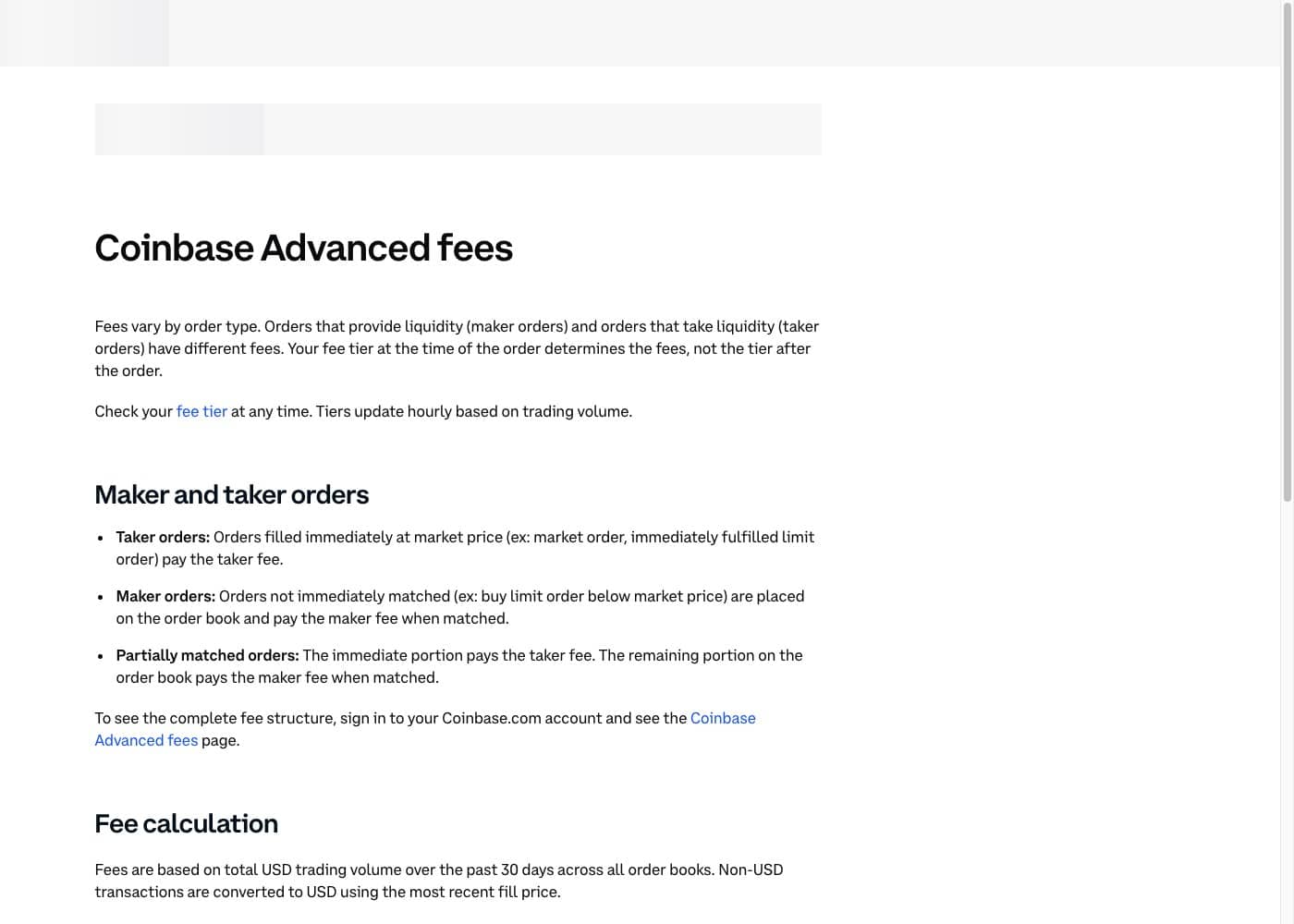
Advanced Trade drops the spread entirely and prices trades by whether you add liquidity (maker) or remove it (taker). Fees scale down as your 30-day trading volume climbs.
| 30-Day Volume | Maker Fee | Taker Fee |
|---|---|---|
| $0 to $10,000 | 0.40% | 0.60% |
| $10,000 to $50,000 | 0.25% | 0.40% |
| $50,000 to $100,000 | 0.15% | 0.25% |
| $100,000 to $1 million | 0.10% | 0.20% |
| $1 million to $15 million | 0.08% | 0.18% |
| $15 million to $75 million | 0.06% | 0.16% |
| $75 million to $250 million | 0.03% | 0.12% |
| $250 million to $400 million | 0.00% | 0.08% |
| $400 million and up | 0.00% | 0.05% |
Fees are calculated on your total USD volume across every order book over the trailing 30 days, not your account balance. Most retail traders sit in that first tier, paying up to 0.60%. That’s still cheaper than the basic app, but it’s nowhere near the lowest rates on the market. For reference, check how these tiers stack up against another major exchange in our Kraken fees breakdown.
Eligible stablecoin pairs get their own pricing: 0.00% maker, with taker fees running as low as a few basis points depending on your tier.
Coinbase One: Does the $4.99 Subscription Cut Your Fees?
Coinbase One is a paid membership that waives trading fees on the basic app up to a monthly volume cap, boosts staking rewards, and adds account insurance. As of 2026 it comes in three tiers instead of one flat plan.
| Tier | Price | Zero-Fee Simple Trade Cap | Account Insurance |
|---|---|---|---|
| Basic | $4.99/mo ($49.99/yr) | $500/month | $1,000 |
| Preferred | $29.99/mo ($299.99/yr) | $10,000/month | $10,000 |
| Premium | $299.99/mo ($2,999.99/yr) | Unlimited | $250,000 |
Every tier includes a variable APY on idle USDC balances and a small monthly gas credit for transactions on Base. Preferred and Premium members also get 25% back, in USDC, on Advanced Trade spot fees, capped at $100 a month.
Here’s the math that matters. The zero-fee benefit only applies to the basic app’s flat and percentage fees, not the 0.50% spread, which still applies even with a subscription. If you trade a few hundred dollars a month on the basic app, the $4.99 Basic tier pays for itself fast. If you already use Advanced Trade for most of your volume, the subscription is worth less to you and the staking discount below is the bigger factor.
Deposit Fees
| Deposit Method | Fee |
|---|---|
| ACH bank transfer | Free |
| Wire transfer (USD) | $10 |
| Debit card (instant buy) | 3.99% of the purchase, charged as a trading fee, not a separate deposit fee |
| PayPal | Not available as a deposit method in the US; PayPal works for withdrawals only |
ACH is the cheapest way to fund an account by a wide margin. It takes a few business days to clear, but it costs nothing.
Withdrawal Fees
| Withdrawal Method | Fee |
|---|---|
| ACH to US bank | Free |
| Wire transfer (USD) | $25 |
| PayPal | Around 1.5% of the amount, minimum roughly $0.55, varies by region |
| Crypto withdrawal to an external wallet | Network fee only, passed through at cost, no Coinbase markup |
Crypto withdrawals cost whatever the underlying blockchain charges at that moment. Send Bitcoin during a busy mempool window and you’ll pay more than sending it at 3 a.m. on a quiet Sunday. Coinbase doesn’t add a markup here, it just passes the network fee straight through.
Staking Fees and Commissions
Staking rewards on Coinbase get reduced by a commission before they hit your account. This isn’t a fee you pay out of pocket, it’s simply subtracted from the yield.
| Asset | Standard Commission |
|---|---|
| ETH | 25% |
| SOL, ADA, DOT, ATOM, AVAX, XTZ, and most other supported assets | 35% |
A 35% commission sounds brutal until you run the numbers. If a network pays out 4% annually, Coinbase takes 1.4 points, leaving you 2.6%. Not nothing, but worth knowing before you stake.
Coinbase One softens this for the assets in the 35% bucket. The commission steps down by tier, roughly 31.75% on Basic, 28.5% on Preferred, and 25.25% on Premium. ETH’s 25% rate is already the lowest on the platform and doesn’t move much regardless of subscription tier.
Account and Inactivity Fees
None. Coinbase doesn’t charge a monthly maintenance fee, an inactivity fee, or a fee just for holding crypto in your account. The only exception is Coinbase One, which is opt-in and cancels anytime. Leave your account untouched for years and you won’t owe anything beyond what you already paid on your original trades.
How to Pay Less in Coinbase Fees
- Fund with ACH, not a debit card. That alone saves close to 4% per purchase.
- Move to Advanced Trade once you’re comfortable with an order book. Even the base tier beats the basic app on cost.
- Use limit orders on Advanced Trade to land maker fees instead of taker fees.
- Subscribe to Coinbase One only if your monthly basic-app volume is high enough to offset the subscription cost.
- Withdraw crypto instead of cash when you can, since network fees are usually cheaper than wire or PayPal fees.
If Coinbase’s fee structure still feels heavy for your trading style, it’s worth comparing against platforms built around lower baseline costs. Our roundup of the best low-fee and free crypto exchanges covers where Coinbase ranks against the field.
Frequently Asked Questions
What is Coinbase’s basic trading fee?
On the standard Coinbase app, you pay a spread of roughly 0.50% plus either a flat fee ($0.99 to $2.99 depending on transaction size) or a percentage fee of 1.49% (bank/ACH) to 3.99% (debit card) on purchases over $200.
Does Coinbase charge a fee to withdraw money?
ACH withdrawals to a US bank account are free. Wire withdrawals cost $25. PayPal withdrawals run around 1.5% of the amount, and crypto withdrawals only cost the underlying network fee.
Is Coinbase One worth it?
Coinbase One is worth it if you regularly trade on the basic app and your monthly volume is close to or above your tier’s zero-fee cap. Basic ($4.99/mo) covers up to $500 in monthly fee-free trades, Preferred ($29.99/mo) covers up to $10,000, and Premium ($299.99/mo) removes the cap entirely.
How much does Coinbase charge for staking?
Coinbase takes a 25% commission on ETH staking rewards and a 35% commission on most other supported assets, including SOL, ADA, DOT, ATOM, AVAX, and XTZ. Coinbase One members get a reduced commission on the 35% bucket, as low as 25.25% on the top Premium tier.
What’s the difference between Coinbase and Coinbase Advanced Trade fees?
The basic Coinbase app charges a built-in spread plus a flat or percentage fee, often totaling 2% to 4.5% per trade. Advanced Trade drops the spread and uses maker/taker pricing starting at 0.40%/0.60% for most retail traders, dropping toward 0.00%/0.05% at very high volume.
Does Coinbase charge an inactivity or account maintenance fee?
No. Coinbase does not charge a fee for holding an account, keeping crypto in custody, or leaving your account inactive. The only recurring charge is the optional Coinbase One subscription, which can be canceled at any time.