
The crypto best wallet app depends on which cryptocurrencies you own, how you use them, and how much control you want over your private keys. MetaMask is a strong option for Ethereum and decentralized finance (DeFi), Trust Wallet is worth considering for mobile multi-chain access, Coinbase Wallet can suit people starting with self-custody, and Exodus offers desktop and mobile management. For long-term storage, a hardware wallet from Ledger or Trezor may be more appropriate than a software-only wallet.
There is no single best cryptocurrency wallet for everyone. A wallet that works well for Ethereum applications may not support your preferred Bitcoin features, while a mobile wallet designed for frequent transactions may not offer the same security model as a dedicated hardware device.
Before choosing, check supported networks, custody arrangements, recovery options, transaction fees, compatibility with decentralized applications, and the wallet’s official security documentation.
Which Crypto Wallet App Is Best?
For most users, the right starting point is to choose a wallet based on its intended use rather than its advertised number of supported coins.
- For Ethereum and DeFi: Consider MetaMask, particularly if you regularly connect to Ethereum-compatible decentralized applications.
- For mobile multi-chain management: Consider Trust Wallet if it supports the specific assets and networks you need.
- For beginners exploring self-custody: Consider Coinbase Wallet and review its setup, recovery and network-support documentation.
- For desktop and mobile portfolio management: Consider Exodus and verify compatibility with your required assets and devices.
- For Solana-focused activity: Consider Phantom and confirm its current support for the networks and features you use.
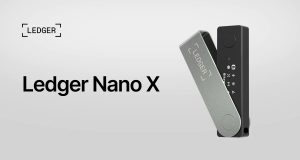
- For long-term asset protection: Consider a hardware wallet from Ledger or Trezor, especially if you plan to hold substantial assets for an extended period.
These are use-case suggestions, not a verified performance ranking. Product features, network coverage, pricing and availability change. Check official documentation before installing a wallet or transferring funds.
Best Crypto Wallet Apps Compared
The following comparison focuses on general product positioning and practical selection criteria. It does not imply that the wallets have undergone independent security testing for this article.
| Wallet | Best suited for | Wallet type | What to verify |
|---|---|---|---|
| MetaMask | Ethereum and DeFi applications | Software wallet | Supported networks, dApp compatibility and transaction approvals |
| Trust Wallet | Mobile multi-chain access | Software wallet | Token and network support, backup and recovery options |
| Coinbase Wallet | Users exploring self-custody | Software wallet | Current product availability, supported assets and recovery model |
| Exodus | Desktop and mobile management | Software wallet | Asset compatibility, swap-provider fees and hardware integration |
| Phantom | Solana-focused activity | Software wallet | Current network support, token compatibility and dApp access |
| Ledger | Hardware-based key protection | Hardware wallet with companion software | Device model, supported assets, signing workflow and purchase price |
| Trezor | Hardware-based self-custody | Hardware wallet with companion software | Device compatibility, supported assets, backup options and security design |
A wallet’s presence in this list is not an endorsement or a guarantee that it is secure against every threat. Security depends on its design, software integrity, user behavior, device security and the applications with which it interacts.
MetaMask: Best for Ethereum and DeFi
MetaMask is widely used to manage accounts and interact with decentralized applications across Ethereum and compatible blockchain networks.
It can be useful for users who connect to decentralized exchanges, lending protocols, NFT marketplaces and other blockchain-based services. Its suitability depends on the networks and applications involved.
Consider MetaMask if you:
- Regularly interact with Ethereum-compatible dApps.
- Need to review and authorize blockchain transactions.
- Want a software wallet for supported mobile or browser workflows.
Before using it, verify the network you are connecting to and inspect transaction details carefully. Connecting a wallet to a website does not automatically make that website trustworthy.
Trust Wallet: Best for Mobile Multi-Chain Access
Trust Wallet is a mobile-oriented self-custody wallet with support for multiple blockchain networks and digital assets. It can be convenient for users who want to manage different assets through one application.
However, broad asset support does not mean every token, network feature or decentralized application is available in every version. A token may also appear in a wallet without being legitimate or valuable.
Consider Trust Wallet if you:
- Prefer managing assets from a mobile device.
- Hold cryptocurrencies across several supported networks.
- Want wallet-based access to selected blockchain applications.
Check the official asset and network documentation, and verify token contract addresses using reliable sources before transferring funds.
Official website: https://trustwallet.com/
Coinbase Wallet: Best for Users Exploring Self-Custody
Coinbase Wallet is a wallet product distinct from a custodial account on the Coinbase exchange. Its self-custody features allow users to manage their own wallet credentials and authorize transactions, subject to the product and account configuration they use.
This distinction matters: an exchange account and a self-custody wallet have different responsibilities, recovery processes and risks.
Consider Coinbase Wallet if you:
- Want to learn about controlling your own wallet keys.
- Prefer a wallet product associated with a familiar crypto brand.
- Need access to supported assets and decentralized applications.
Confirm that you are downloading the intended wallet product, not simply opening an exchange account. Review its current recovery model, supported networks and security documentation before funding it.
Official website: https://www.coinbase.com/wallet
Exodus: Best for Desktop and Mobile Management
Exodus provides software wallet interfaces for managing supported cryptocurrencies across desktop and mobile devices. It may appeal to users who prefer a visual portfolio interface and access to supported asset-management features.
Features such as token swaps can involve third-party providers, quoted exchange rates, network fees and service charges. These costs should be considered separately from the wallet’s download price.
Consider Exodus if you:
- Want desktop and mobile wallet options.
- Prefer a portfolio-oriented interface.
- Need support for a specific collection of assets and hardware-wallet workflows.
Verify supported assets, current fees and compatibility before moving funds.
Official website: https://www.exodus.com/
Phantom: Best for Solana-Focused Activity
Phantom is commonly associated with Solana wallets and applications. Its supported networks and features may extend beyond its original ecosystem, but the exact scope should be checked against its current documentation.
Consider Phantom if you:
- Use Solana applications or assets.
- Want a wallet interface for supported tokens and decentralized applications.
- Need to review blockchain transactions from a mobile device or browser.
Do not assume that a wallet supports every token or network simply because it supports one asset in the same ecosystem.
Official website: https://phantom.app/
Ledger and Trezor: Best for Hardware-Based Storage
Ledger and Trezor offer hardware wallets designed to keep private keys isolated from ordinary internet-connected computing environments, subject to each device’s architecture and operation.
A hardware wallet typically requires the user to approve transactions through the device. This can reduce exposure to certain online attacks, but it does not eliminate phishing, malicious smart contracts, physical theft, compromised recovery phrases or user error.
Consider a hardware wallet if you:
- Intend to hold crypto for the long term.
- Want to separate key storage from a frequently used phone or computer.
- Need a device that supports your particular cryptocurrencies and transaction workflows.
Compare the specific device models, supported assets, backup methods, transaction-signing screens and total purchase cost. Buy through an official manufacturer channel or an authorized reseller, and follow the manufacturer’s initialization instructions.
Official websites: https://www.ledger.com/ and https://trezor.io/
How Do Crypto Wallets Work?
A cryptocurrency wallet manages the cryptographic keys used to access and authorize transactions involving digital assets recorded on a blockchain. The assets themselves generally remain recorded on the blockchain rather than stored inside the application.
Three concepts are especially important:
- Public address: An address that can be shared to receive supported assets.
- Private key: A secret cryptographic credential used to authorize certain transactions.
- Recovery phrase: A sequence of words that, in many wallet designs, can restore access to the wallet and its associated accounts.
A wallet application provides an interface for viewing balances, generating addresses, signing transactions and interacting with supported networks. Depending on the wallet, it may also provide swapping, staking, portfolio tracking or decentralized application access.
What is the difference between custodial and self-custody wallets?
A custodial wallet is managed by a service provider that controls the relevant private keys on the user’s behalf. Access is often associated with a conventional account and may include provider-assisted recovery, subject to the provider’s policies.
A self-custody wallet gives the user control over the keys required to authorize transactions. This provides greater direct control, but it also places more responsibility on the user to protect credentials and backups.
| Consideration | Custodial wallet | Self-custody wallet |
|---|---|---|
| Key control | Provider controls the keys | User controls the keys |
| Account recovery | May be available through the provider | Depends on the wallet’s recovery design and backup |
| Main risks | Provider failure, account compromise, withdrawal restrictions | Lost keys, exposed recovery phrases, malicious approvals |
| Transaction authorization | Subject to provider controls and policies | User authorizes transactions through the wallet |
| Responsibility | Shared with the provider, under its terms | Primarily rests with the user |
Neither model removes every risk. The appropriate choice depends on your need for control, the service’s reliability and your ability to maintain secure backups.
Hot Wallet vs Cold Wallet: Which Is Safer?
A hot wallet uses an internet-connected device or environment to manage wallet operations. A cold wallet keeps private keys offline or isolated from ordinary online systems, depending on its design.
Hot wallets prioritize convenience, while hardware-based cold storage can reduce exposure to online key theft. Neither is completely risk-free.
Hot wallets
Hot wallets commonly include mobile apps, desktop applications and browser extensions. They are useful for frequent transactions and decentralized application access.
Advantages:
- Convenient for sending and receiving crypto.
- Often easy to install and use.
- Suitable for interacting with supported blockchain applications.
Risks:
- Malware or a compromised device may expose credentials.
- Phishing websites may trick users into signing malicious transactions.
- Users may accidentally approve harmful token allowances or smart-contract actions.
Cold storage and hardware wallets
Hardware wallets are designed to keep private keys away from ordinary internet-connected devices. The exact security model varies by device.
Advantages:
- Can reduce exposure to certain online attacks.
- Provide a separate environment for transaction approval.
- May be suitable for assets held over longer periods.
Risks:
- Devices can be lost, damaged or stolen.
- A recovery phrase exposed to another person can compromise the wallet.
- Users may still authorize malicious transactions without understanding what they are approving.
A practical approach is to keep only the amount needed for regular activity in a hot wallet and consider hardware-based storage for longer-term holdings. The right arrangement depends on your circumstances and technical confidence.
What Security Features Should You Look For?
The best crypto wallet app is not necessarily the one with the most security features listed on its website. Look for controls that address the threats relevant to the way you use the wallet.
Private-key and recovery-phrase protection
The wallet’s documentation should clearly explain where keys are generated, how they are protected and how access can be restored.
Never share a recovery phrase or private key with a person, website or supposed support agent. Anyone who obtains the relevant credentials may be able to control the assets.
Avoid storing recovery phrases in ordinary screenshots, unencrypted cloud documents, email drafts or messaging apps. Follow the wallet’s documented backup procedure and consider the risks of physical storage as well.
Device authentication and access controls
Biometric login, device authentication and application passwords can help prevent unauthorized access to an unlocked wallet interface. They do not necessarily protect against every form of malware or a compromised recovery phrase.
Two-factor authentication is especially relevant to custodial accounts and associated services where it is supported. For self-custody wallets, understand which credentials protect the app and which credentials actually control the assets.
Transaction previews and signing controls
Before signing a transaction, inspect:
- The receiving address.
- The asset and amount.
- The network.
- The transaction fee.
- Any token approvals or smart-contract permissions.
A wallet’s transaction warnings can help, but no warning system detects every malicious contract or deceptive request.
Software integrity and independent security reviews
Check for public security documentation, audit reports, bug-bounty information where available, and a transparent software-update process. Read what a security review actually covered; an audit of one component does not guarantee the safety of the entire wallet or every application it connects to.
For general guidance, consult Ethereum.org’s security and scam-prevention resources and Bitcoin.org’s wallet security guidance.
How to Compare Supported Coins, Networks and DeFi Features
A wallet that supports many assets is not automatically the best wallet for your portfolio. The important question is whether it supports the specific asset, network and transaction you intend to use.
Multi-coin and multi-chain support
A wallet may support Bitcoin, Ethereum and other cryptocurrencies, but network compatibility varies. Even similarly named tokens may exist on different blockchains.
Before transferring funds:
- Confirm that the receiving wallet supports the asset.
- Confirm the exact network.
- Check that the destination address and network match.
- Verify the minimum deposit or transfer requirements, if applicable.
- Send a small test transaction when appropriate and practical.
Sending assets through an unsupported network or to an incompatible destination can result in loss or difficult recovery.
DeFi integration
DeFi wallets let users interact with decentralized exchanges, lending protocols, staking interfaces and other blockchain applications. These features can be useful, but connecting a wallet does not guarantee that an application is legitimate or that a transaction is safe.
Before interacting with a DeFi protocol, investigate its reputation, contract addresses, security reviews, permission requests and potential financial risks.
Smart contracts can contain vulnerabilities, and deposited assets may lose value or become inaccessible. Staking and lending also introduce risks beyond simply holding a token in a wallet.
Portfolio tracking and analytics
Portfolio tools may display token balances, historical prices, transaction history and asset allocation. Some information comes from external price feeds or third-party services and may be delayed, incomplete or inaccurate.
Treat portfolio valuations as estimates rather than guaranteed realizable sale prices. A displayed token balance also does not establish that a token is liquid or can be sold at its displayed valuation.
Crypto Wallet Fees: What Will You Pay?
A crypto wallet may be free to download while still involving costs for particular transactions or services.
The main cost categories are:
- Network fees: Paid to process transactions on the relevant blockchain.
- Swap fees: Charges associated with exchanging one asset for another through a wallet or integrated provider.
- Spread: The difference between an exchange quote and a reference market price.
- Purchase and sale fees: Charges that may apply when buying or selling crypto through a third-party provider.
- Hardware costs: The upfront purchase price of a hardware wallet.
Not every wallet charges every type of fee, and the amount varies by network, provider, transaction size and market conditions.
How to compare transaction costs
Suppose you want to exchange one token for another. Compare the total amount you will pay, not just the displayed service fee.
Review:
- The amount of the asset you will send.
- The estimated network fee.
- The quoted amount you will receive.
- Any provider fee or spread.
- The final amount after all quoted charges.
For example, if one service quotes a receipt of 98 units of a token and another quotes 97.5 units for the same input amount, the first quote is more favorable at that moment only if the quotes use comparable conditions and the same asset and network. Quotes may change before confirmation.
Gas fees on networks such as Ethereum vary with network conditions and transaction complexity. A wallet may offer fee estimates or speed options, but it cannot guarantee a particular confirmation time or the lowest possible cost.
How to Choose and Set Up a Crypto Wallet Safely
Choosing a wallet is only the first step. Secure installation, backup and transaction practices are equally important.
Step 1: Define your needs
Decide which cryptocurrencies you plan to use, whether you need DeFi access, how frequently you transact and whether you prefer a mobile app, desktop application or hardware device.
Step 2: Verify compatibility
Read the official documentation for the exact assets and networks you need. Do not rely solely on marketing claims about the number of supported coins.
Step 3: Download from an official source
Start from the wallet manufacturer’s official website and follow its verified links to the relevant app store or download page. Check the publisher carefully and avoid sponsored search results or unsolicited links that may lead to counterfeit apps.
Step 4: Create and secure the wallet
Follow the wallet’s setup instructions. If it generates a recovery phrase, record it using the recommended secure backup method. Never share it with support staff or enter it into an unexpected website.
Step 5: Test with a small transaction
Before transferring a substantial amount, confirm the address, network and asset. A small test transfer can help verify that the setup works as expected, although it does not eliminate all risks.
Step 6: Review every transaction
Check the destination, network, amount and fee before confirming. For smart-contract interactions, read the permission request and understand what you are authorizing.
Step 7: Review backups periodically
Confirm that your recovery method is accessible and stored securely. Do not assume that a cloud backup, device password or biometric login is equivalent to a recovery phrase or other underlying recovery mechanism.
Frequently Asked Questions
What is the best crypto wallet app?
The best app depends on your needs. MetaMask is worth considering for Ethereum and DeFi, Trust Wallet for mobile multi-chain management, Exodus for desktop and mobile access, and Phantom for Solana-focused activity. Ledger and Trezor hardware wallets may suit long-term self-custody. Verify current compatibility and security documentation before choosing.
Which crypto wallet is best for beginners?
Beginners should prioritize a clear interface, supported assets, transparent fees, understandable recovery instructions and reliable official documentation. A simple interface is useful, but it does not remove the responsibility to protect credentials and verify transactions.
Are crypto wallet apps safe?
Wallet apps can be useful security tools, but no app is completely safe. Risks include phishing, malware, exposed recovery phrases, malicious smart contracts, fake tokens and user error. Download legitimate software, keep it updated, protect recovery credentials and review transactions before signing.
Is a hot wallet or cold wallet better?
Hot wallets are convenient for frequent transactions and dApp use. Hardware-based cold storage can reduce exposure to certain online threats and may be more appropriate for long-term holdings. Some users use both, keeping everyday funds separate from longer-term assets.
Can one wallet hold Bitcoin, Ethereum and other cryptocurrencies?
Some wallets support several blockchain networks, but no wallet supports every asset or every feature. Check compatibility with the exact cryptocurrency and network before sending funds. Bitcoin and Ethereum use different network rules, and similarly named tokens can exist on multiple chains.
Do crypto wallet apps charge fees?
Downloading a wallet may be free, but transactions can involve blockchain network fees, swap charges, spreads or third-party purchase fees. Hardware wallets also have an upfront device cost. Review the full quote and fee disclosure before confirming a transaction.
What happens if I lose my phone or wallet app?
Recovery depends on the wallet’s design and the backups you created. Many self-custody wallets can be restored using a recovery phrase, but other wallet designs use different recovery mechanisms. If the relevant recovery credentials are lost and no alternative recovery method exists, access to the assets may be permanently lost.
Can I recover crypto if I lose my recovery phrase?
For a conventional self-custody wallet, losing the recovery phrase and all other valid recovery methods may make the assets inaccessible. Some wallet designs offer alternative recovery arrangements, so consult the product’s official documentation. Be suspicious of anyone claiming they can recover a wallet if you first provide your private keys or recovery phrase.
Is a crypto wallet the same as a crypto exchange?
No. A cryptocurrency exchange is a service for buying, selling or trading digital assets. A custodial exchange account typically relies on the exchange to control the private keys. A self-custody wallet allows the user to control the relevant keys and authorize transactions directly. Some companies offer both products, but their custody arrangements and risks differ.
Do I need a hardware wallet?
Not everyone needs a hardware wallet. It may be appropriate if you hold substantial assets for an extended period or want to separate private-key storage from a regularly connected device. Consider the cost, supported assets, backup procedure and your ability to use the device securely.
Can a crypto wallet guarantee investment returns?
No. A wallet is a tool for managing access to digital assets; it does not guarantee investment returns, prevent price declines or eliminate protocol and market risks. Features such as staking, swaps and DeFi access can introduce additional financial and technical risks.
Final Verdict: Choosing the Best Crypto Wallet App
The best crypto wallet is the one that fits your assets, usage patterns, security needs and technical experience. Compare custody models, supported networks, recovery procedures, transaction costs and the quality of official security documentation before making a decision.
For active blockchain use, a software wallet may provide convenient access to supported applications. For longer-term storage, a hardware wallet can add protection against certain online threats. Some users benefit from maintaining separate wallets for everyday activity and longer-term holdings.
Most importantly, protect your recovery credentials, verify addresses and networks, download software only from legitimate sources, and never sign a transaction you do not understand.