OKX Wallet is a self-custody, multi-chain cryptocurrency wallet that lets users store and manage digital assets, connect to decentralized applications (DApps), swap tokens, explore NFTs, and access decentralized finance (DeFi) services. It supports multiple blockchain networks through a single wallet interface, allowing users to interact with different parts of Web3 without maintaining a separate wallet for every network.
Unlike a custodial exchange account, a self-custody wallet gives users control over their wallet credentials and the ability to authorize transactions themselves. This also means users are responsible for protecting their recovery phrase or private keys. If those credentials are lost or exposed, recovering the assets may be impossible.
OKX Wallet is available through supported mobile, web, and browser-extension experiences. Its features include multi-chain asset management, token swaps, cross-chain tools, NFT access, and connections to decentralized applications. The precise features and supported networks can vary by platform and region.
For people exploring Web3, OKX Wallet offers a way to manage digital assets and interact with blockchain applications in one place. However, users should understand its security responsibilities, transaction fees, and the risks of decentralized services before depositing funds.
How Does OKX Wallet Work?
OKX Wallet works by creating or importing a wallet that can interact with supported blockchain networks. It uses cryptographic keys to authorize transactions, while the blockchains record transfers and other on-chain activity.
The wallet does not function like a traditional bank account. It does not reverse blockchain transactions or guarantee that funds can be recovered if a user sends crypto to the wrong address.
Its main functions include:
- Store: Manage supported cryptocurrencies and digital assets.
- Send and receive: Transfer tokens using blockchain addresses.
- Swap: Exchange supported tokens through available decentralized trading routes.
- Bridge: Move supported assets between compatible blockchain networks.
- Connect: Link the wallet to decentralized applications.
- Explore: Discover DeFi services, NFT platforms, and other Web3 tools.
- Stake: Access supported staking opportunities where available.
OKX describes its Web3 wallet as self-managed, meaning users retain control of their wallet credentials. Its official product website also lists asset management, swapping, trading, staking discovery, and on-chain analytics among its features.
The important distinction is that the wallet is an access tool. Some services available through it are operated by independent blockchain protocols, marketplaces, or liquidity providers. Using the wallet does not remove the risks associated with those third-party services.
Is OKX Wallet Custodial or Non-Custodial?
OKX Wallet is a non-custodial, or self-custody, wallet. This means users control the private keys or recovery credentials associated with their wallets rather than relying on an exchange to authorize every transaction.
A recovery phrase can be used to restore access to a wallet. Anyone who obtains it may be able to control the assets associated with it, so it must remain private.
This differs from a custodial exchange account, where a platform manages the private keys and users access their funds through an account login.
| Feature | OKX Wallet | Custodial exchange account |
|---|---|---|
| Key control | User-controlled wallet credentials | Platform controls the underlying keys |
| Transaction authorization | User signs wallet transactions | Platform processes account withdrawals and trades |
| Recovery | Depends on backup credentials and wallet setup | May offer account recovery procedures |
| DApp access | Designed for direct Web3 connections | Usually requires a separate wallet or integration |
| User responsibility | High responsibility for key security | Shared with the service provider |
Self-custody provides greater control, but it also places more responsibility on the user. A forgotten password may be recoverable through a properly backed-up recovery phrase, but a lost recovery phrase can result in permanent loss of access.
OKX Wallet Supported Blockchains and Networks
OKX Wallet supports multiple blockchain networks, allowing users to manage assets from different ecosystems through one interface. OKX’s wallet documentation lists networks that include Bitcoin, Ethereum, Solana, BNB Smart Chain, Polygon, Avalanche, Tron, and Arbitrum.
The supported network list can change as the product develops. Some features may also work differently depending on the chain, token, wallet version, or region.
Major blockchain ecosystems
Ethereum: Supports interaction with Ethereum-based tokens, smart contracts, DeFi protocols, and NFT applications. Users should account for Ethereum network gas fees when making transactions.
Bitcoin: Allows users to manage supported Bitcoin assets and interact with compatible Bitcoin-related applications. Bitcoin transfers follow Bitcoin network rules and confirmation requirements.
Solana: Provides access to supported Solana assets and applications, including ecosystem tokens and NFT services. Solana transactions use the network’s own fee structure.
BNB Smart Chain: Connects users to supported tokens and decentralized applications within the BNB Smart Chain ecosystem.
Polygon: Provides access to supported Polygon assets and applications. Network fees and transaction requirements differ from those on Ethereum.
Arbitrum: Offers access to supported applications on this Ethereum Layer 2 network, which is designed to reduce transaction costs and improve transaction capacity.
Avalanche and Tron: These are among the other networks listed in OKX wallet documentation, subject to current product support.
Does OKX Wallet support multiple chains automatically?
OKX documentation describes automatic network recognition for supported connections. However, users should still verify the selected network before sending assets or approving transactions.
A token with the same ticker or name may exist on multiple blockchains. Sending an asset through an unsupported network or to an incompatible address can result in lost funds.
Before transferring cryptocurrency, confirm:
- The receiving address is correct.
- The sending and receiving networks match.
- The token is supported by the destination wallet or platform.
- Any required memo or destination tag is included.
- The transaction fee is acceptable.
For larger transfers, consider sending a small test amount first.
OKX Wallet Web3 and DApp Integration
OKX Wallet provides access to decentralized applications, commonly called DApps. These applications use blockchain networks and smart contracts to provide services without relying entirely on a traditional centralized platform.
Examples include decentralized exchanges, NFT marketplaces, blockchain games, lending protocols, and other DeFi applications.
Connecting OKX Wallet to a DApp
Users can connect their wallet to a compatible DApp to access its services. A connection may allow the application to view certain public wallet information, such as the wallet address and token balances.
Connecting a wallet does not automatically mean that the DApp can transfer all assets. However, signing transactions or granting token approvals can authorize specific actions.
A safer connection process is:
- Open the official website of the DApp.
- Check the domain carefully before connecting.
- Select the option to connect a wallet.
- Choose OKX Wallet if it is supported.
- Review the connection request.
- Approve only if the website and requested permissions are appropriate.
Avoid connecting to websites shared through suspicious messages, advertisements, or unsolicited social media posts.
How to review DApp permissions
Some decentralized applications request token approvals so that smart contracts can use specific assets. An approval may remain active after a user finishes using the application.
Review wallet permissions regularly and revoke approvals that are no longer needed, where the relevant network and tools support this function. Always check what a transaction or signature authorizes before confirming it.
OKX Wallet DeFi, Swaps, and Cross-Chain Features
OKX Wallet brings several decentralized finance tools into its wallet experience. These can make it easier to explore DeFi without manually visiting every protocol, but they do not eliminate financial or technical risk.
Token swaps and decentralized exchange aggregation
The wallet provides token-swapping tools that can route transactions through available decentralized exchanges and liquidity sources.
A swap is an exchange of one cryptocurrency for another. For example, a user might exchange a supported token for ETH or USDT through a decentralized trading route.
Before confirming a swap, review:
- The amount of cryptocurrency being exchanged.
- The estimated amount to receive.
- The exchange rate and price impact.
- Network gas fees.
- Any service or protocol fees.
- Slippage settings and minimum received amounts.
The quoted exchange rate may change before the transaction is completed. Low-liquidity tokens can also experience significant price impact.
A wallet’s routing tools may compare available trading paths, but this does not guarantee the lowest possible cost or the best execution in every market condition.
Cross-chain transfers and OKX Bridge
A blockchain bridge allows users to move supported assets between different networks. OKX provides cross-chain functionality through its bridge-related tools, which can help users access assets and applications across supported chains.
For example, someone holding a supported asset on one network may want to move it to another network to use a compatible DeFi application.
Cross-chain transfers can involve several steps, including source-chain transactions, bridge processing, and destination-chain delivery. The process may take different amounts of time depending on network conditions and the route used.
Bridge transactions carry additional risks. These can include smart-contract vulnerabilities, liquidity problems, delays, incorrect network selection, and changes in the value of an asset during processing.
Always verify the token, destination network, estimated output, and fees before approving a bridge transaction.
Staking and yield opportunities
OKX Wallet may provide access to staking and other on-chain earning opportunities through supported networks and third-party protocols.
Staking generally involves committing cryptocurrency to help support a blockchain’s operation or consensus mechanism. In return, participants may receive rewards under the network’s rules.
However, staking is not a guaranteed source of income. Reward rates can change, and some arrangements involve lock-up periods, withdrawal restrictions, validator penalties, or smart-contract risks.
Yield farming and liquidity provision involve additional risks. Users may lose money because of token price movements, impermanent loss, protocol exploits, or changes in liquidity.
Do not rely on advertised annual percentage yields (APYs) as guaranteed returns. Check the protocol’s documentation, reward mechanism, lock-up conditions, and risks before committing assets.
OKX Wallet NFTs and Digital Collectibles
OKX Wallet can be used to manage supported non-fungible tokens (NFTs) and connect to NFT-related applications.
An NFT is a blockchain-based token that represents a unique digital item or record. Depending on the collection and platform, NFTs may represent artwork, collectibles, gaming items, memberships, or other digital assets.
Wallet users can explore supported NFT marketplaces and interact with compatible collections. Available features may include viewing NFT holdings, connecting to marketplaces, and completing supported transactions.
What should users check before buying an NFT?
NFT ownership does not automatically guarantee that an item has a resale market or financial value. Before purchasing, check:
- The collection’s official contract address.
- The creator and collection’s authenticity.
- The NFT’s blockchain and token details.
- The marketplace’s transaction fees.
- The item’s ownership and transfer history.
- Whether the project has clear rights and utility information.
Be cautious of fake collections, impersonation accounts, misleading floor-price claims, and unsolicited NFT airdrops. An unfamiliar NFT should not be trusted simply because it appears in a wallet.
Is OKX Wallet Safe?
OKX Wallet includes security features intended to help users protect their assets and identify potentially harmful on-chain activity. Its security information describes protections such as token-risk detection, transaction monitoring, address screening, and reviews by security specialists.
However, no cryptocurrency wallet can guarantee that funds are completely safe. Self-custody means users remain responsible for protecting their devices, recovery phrases, private keys, and transaction approvals.
A wallet security feature may identify certain threats, but it cannot prevent every scam, malicious contract, or user mistake.
Main security risks
Phishing websites: Fake websites can imitate wallet pages or DApps to trick users into connecting their wallets or revealing recovery credentials.
Malicious smart contracts: A contract may request permissions that allow it to move approved tokens or perform other actions.
Fake support representatives: Scammers may impersonate wallet support and ask users to share their recovery phrase or private key.
Malware and compromised devices: Malicious software can capture passwords, monitor activity, or interfere with wallet transactions.
Incorrect transfers: Sending cryptocurrency to the wrong address or through an unsupported network can cause irreversible losses.
How to protect an OKX Wallet
Use these practices to reduce the risk of losing assets:
- Download the wallet through the official OKX website or verified app-store listing.
- Keep your phone, computer, browser, and wallet software updated.
- Create a strong wallet password.
- Back up your recovery phrase securely and offline.
- Never share your recovery phrase or private key.
- Check website addresses before connecting to DApps.
- Review transaction details and token approvals.
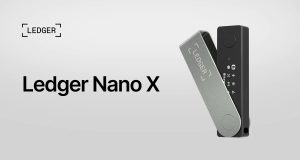
- Consider a hardware wallet for assets that require stronger offline key protection.
- Use a separate wallet for experimental DApps and unfamiliar projects.
- Start with a small transaction when testing a new address or network.
OKX states that it does not store users’ wallet passwords or recovery phrases in a way that allows it to recover them for users. If the necessary backup credentials are lost, access to the wallet may be permanently lost.
How to Create an OKX Wallet
Users can create a new wallet or import an existing one through supported OKX Wallet experiences. The exact screens may vary depending on whether the user is using the mobile app or browser extension.
Step 1: Visit the official OKX Wallet website
Go to web3.okx.com and choose the supported wallet option for your device.
Avoid downloading wallet software from unfamiliar websites, social media links, or unofficial file-sharing services.
Step 2: Install the supported app or browser extension
Choose the appropriate download option for your device. If using a browser extension, check that the extension publisher and store listing are legitimate before installing it.
Step 3: Create a new wallet
Open the wallet and select the option to create a new wallet. Follow the instructions to establish the wallet and set a password or other available access method.
Step 4: Back up your recovery phrase
Follow the wallet’s backup instructions. If a recovery phrase is provided, write it down in the correct order and store it somewhere secure and offline.
Never share the phrase with anyone. Do not enter it into websites claiming to offer free tokens, wallet verification, account upgrades, or recovery services.
Step 5: Verify the backup
Complete the wallet’s recovery-phrase verification process if prompted. Confirm that the backup is accurate before transferring valuable assets.
Step 6: Receive cryptocurrency
Choose the correct asset and network, then copy the receiving address. Check that the sending platform supports the same network before making a transfer.
For a first transfer, consider using a small test amount.
How to Import an Existing Wallet
Users who already have a compatible wallet may be able to import it into OKX Wallet.
The available import methods can include a recovery phrase, private key, hardware wallet, or other supported recovery option. The options depend on the wallet version and setup.
To import a wallet:
- Open the official OKX Wallet app or extension.
- Select the option to import an existing wallet.
- Choose the supported import method.
- Enter the required credentials only within the verified wallet application.
- Complete the setup and confirm that the expected addresses and assets appear.
A recovery phrase generally restores the wallet and its associated derived accounts, while an individual private key may restore only a particular address. If the expected assets do not appear, check whether the correct recovery phrase, account, network, and derivation path have been selected.
Never import a recovery phrase supplied by another person. Anyone who knows that phrase may be able to control the wallet.
OKX Wallet Fees: What Should You Expect?
OKX Wallet does not make every blockchain transaction free. Costs depend on the network, asset, transaction type, and services involved.
Common costs include:
- Network gas fees: Paid to process transactions on the relevant blockchain.
- Swap fees: May apply through the trading route, liquidity source, or service provider.
- Bridge fees: May apply when transferring assets between supported networks.
- Protocol fees: Charged by some DeFi applications or staking services.
- NFT marketplace fees: May apply when buying, selling, or transferring NFTs.
Fees can change with network congestion and market conditions. A transaction that costs very little on one network may be more expensive on another.
Before approving a transaction, review the estimated total cost and the amount you expect to receive. Do not assume that a displayed quote includes every possible charge.
OKX Wallet vs. MetaMask and Trust Wallet
OKX Wallet competes with other popular self-custody wallets, including MetaMask and Trust Wallet. The best option depends on the networks a user needs, the applications they use, and their preferred wallet experience.
| Comparison | OKX Wallet | MetaMask | Trust Wallet |
|---|---|---|---|
| Wallet type | Self-custody | Self-custody | Self-custody |
| Main use | Multi-chain asset and Web3 access | Web3 and Ethereum-compatible applications | Mobile-focused multi-chain asset management |
| DApp access | Supported DApp connections and discovery | Broad DApp compatibility | Supported DApp connections |
| Network support | Multiple supported networks | Primarily EVM-focused, with additional supported networks and features | Multiple supported networks |
| DeFi access | Swaps, bridges, and supported DeFi tools | DApp and DeFi connections | DApp and DeFi connections |
| NFT use | Supported NFT features and marketplaces | NFT and marketplace connections | Supported NFT management |
These wallets have different capabilities, and their supported networks and features change over time. Users should compare the current documentation before choosing one.
OKX Wallet may suit users who want integrated multi-chain and Web3 tools. MetaMask may appeal to people whose activities are centered on Ethereum-compatible DApps. Trust Wallet may appeal to users who prefer a mobile-oriented wallet experience.
No wallet is automatically the safest choice for every user. Security depends on the wallet’s implementation as well as how carefully the owner manages credentials and transaction approvals.
Is OKX Wallet Available in the Philippines?
Filipino users should distinguish between using a self-custody wallet and accessing a centralized cryptocurrency exchange service.
OKX Wallet is a Web3 wallet product, while the OKX exchange is a separate service that may be subject to different local licensing, distribution, and regulatory requirements. Availability of an app or wallet feature does not by itself establish that every related exchange service is authorized to operate in the Philippines.
The Philippine Securities and Exchange Commission has issued warnings about crypto-asset service providers operating without the required local registration or authorization. Users should consult the SEC’s current advisories and relevant official guidance before using a centralized exchange, depositing funds, or trading through a service.
For current information, refer to the Philippines SEC website. Do not rely solely on social media posts or claims that a platform is legal because its app or website is accessible.
Users should also consider applicable tax obligations and keep records of their cryptocurrency transactions.
Common OKX Wallet Problems and How to Address Them
Some wallet issues are caused by network conditions, incorrect settings, or third-party applications rather than the wallet itself.
Why is my crypto deposit not showing?
A deposit may not appear immediately because the blockchain transaction is still awaiting confirmation. It may also involve an incorrect network, unsupported token, or missing memo or destination tag.
Check the transaction hash using the relevant blockchain explorer. Confirm that the transaction was sent to the correct address and network.
Why is my transaction pending?
A transaction may remain pending because of network congestion, insufficient fees, or blockchain-specific processing requirements.
Check the transaction status and fee details before attempting another transaction. Submitting a second transfer without understanding the first transaction’s status may create additional costs.
Why can’t I connect to a DApp?
The DApp may not support the selected network or wallet connection method. Check the official DApp documentation, confirm the network, and reconnect through the verified website.
Avoid entering your recovery phrase into a DApp connection page. A normal wallet connection should not require you to reveal your private key or recovery phrase.
What if I lose my wallet password?
Recovery options depend on the wallet setup. If you have a valid recovery phrase or other supported backup, you may be able to restore the wallet and set a new password.
If you have lost both the password and the necessary recovery credentials, the wallet may not be recoverable. OKX cannot recreate a lost private key or recovery phrase for you.
Is OKX Wallet Worth Using?
OKX Wallet is a multi-chain self-custody wallet designed for people who want to manage digital assets and access Web3 applications through one interface.
Its main advantages include support for multiple blockchain networks, access to decentralized applications, token-swapping tools, cross-chain features, and NFT-related functionality. These capabilities can make it useful for people who regularly interact with different blockchain ecosystems.
However, the wallet is not risk-free. Users must protect their recovery credentials, understand network fees, verify transaction details, and evaluate third-party protocols before using them. Self-custody also means there may be no central service able to reverse a mistaken transfer or restore lost credentials.
For beginners, the most sensible approach is to create a wallet, complete the backup process, learn how addresses and networks work, and test transfers with small amounts before using more advanced features.
For experienced users, OKX Wallet may provide a convenient way to access supported networks and Web3 services. Its suitability ultimately depends on the user’s needs, location, risk tolerance, and preferred blockchain applications.
Frequently Asked Questions About OKX Wallet
1. What is OKX Wallet used for?
OKX Wallet is used to store and manage supported cryptocurrencies and digital assets, send and receive tokens, connect to decentralized applications, swap assets, explore NFTs, and access supported DeFi services.
2. Is OKX Wallet free to use?
Creating a wallet generally does not require paying a wallet creation fee. However, blockchain transactions and certain services may involve network gas fees, swap fees, bridge fees, or protocol charges.
3. Is OKX Wallet safe?
OKX Wallet provides security features designed to help users identify suspicious activity and protect wallet access. However, no wallet can guarantee complete protection. Users must safeguard their recovery phrases, verify DApps, and review transactions before signing.
4. Is OKX Wallet the same as the OKX exchange?
No. OKX Wallet is a self-custody Web3 wallet, while the OKX exchange is a separate cryptocurrency trading service. They have different functions, account arrangements, and regulatory considerations.
5. Does OKX Wallet support Bitcoin and Ethereum?
Yes. OKX wallet documentation lists both Bitcoin and Ethereum among its supported networks. Users should confirm the specific asset and network support before transferring funds.
6. Can I use OKX Wallet without an OKX exchange account?
OKX’s Web3 wallet documentation describes wallet functionality that does not require users to have an OKX exchange account. Available features and onboarding options may vary by platform and region.
7. How do I recover my OKX Wallet?
Recovery generally requires the wallet’s backed-up recovery phrase, private key, or another supported recovery method. If the necessary credentials are permanently lost, the wallet and its assets may become inaccessible.
8. Can OKX Wallet connect to MetaMask-compatible DApps?
OKX Wallet can connect to supported decentralized applications through compatible wallet connection methods. Whether a particular DApp works depends on its supported networks and connection options.
9. Does OKX Wallet charge gas fees?
Blockchain transactions generally require network fees, commonly called gas fees on smart-contract networks. The amount depends on the network, transaction type, and current network conditions.
10. Can I store NFTs in OKX Wallet?
OKX Wallet supports NFT-related features and compatible digital collectibles. Users should verify an NFT’s collection, contract address, and authenticity before interacting with it.
11. Can I earn rewards through OKX Wallet?
The wallet may provide access to supported staking and DeFi opportunities. Rewards are not guaranteed, and users should understand lock-up conditions, protocol risks, token volatility, and possible losses before participating.
12. Is OKX Wallet available in the Philippines?
Availability of wallet features and centralized exchange services can differ. Filipino users should check the current OKX product availability and Philippine SEC advisories before using related trading or financial services.
13. What happens if I send crypto to the wrong network?
A transfer to an incompatible network or address may result in lost or inaccessible funds. Recovery is not guaranteed. Always verify the receiving address, network, token, and any required memo before confirming a transfer.
14. Should I keep all my crypto in OKX Wallet?
That depends on your security needs and how frequently you use your assets. Consider keeping only the funds needed for regular Web3 activity in a wallet connected to DApps. For larger holdings, evaluate additional safeguards such as hardware wallets and separate storage arrangements.